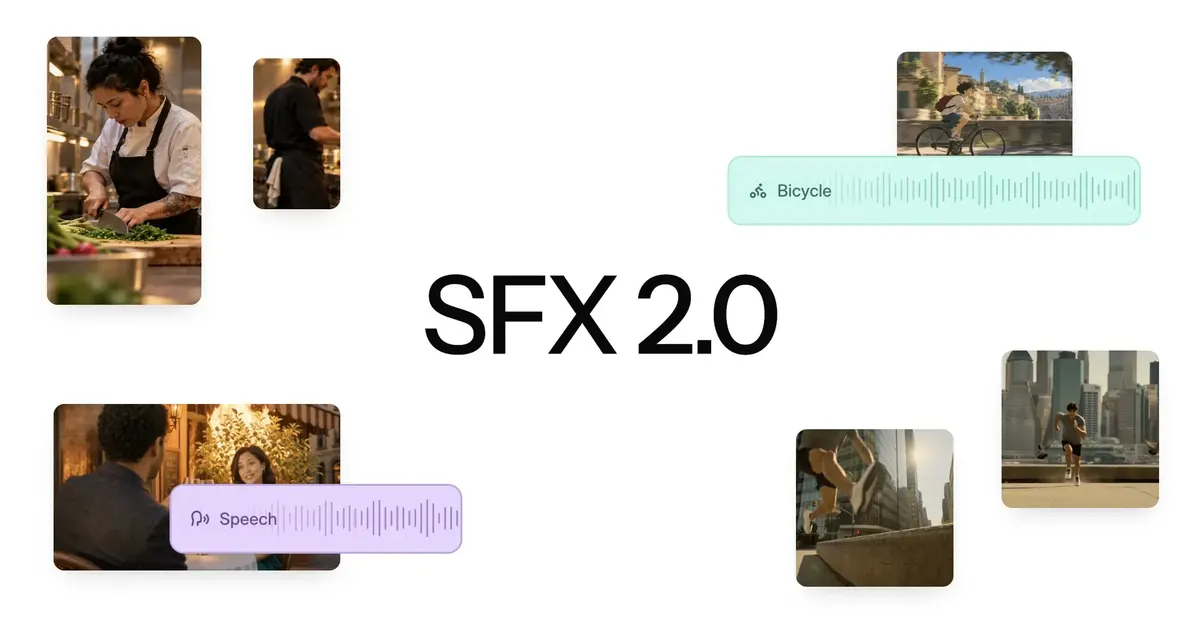
To add foley and sound effects to a video with AI, put your clips on the Tellers timeline and ask the agent to generate sound for the assembled sequence. It can match effects to the action, create a consistent audio atmosphere across AI clips, and remove unwanted background music and noise before building the soundtrack.
Mirelo SFX 2.0 is now available on Tellers, giving the agent the sound generation and audio replacement tools to handle this workflow with both AI-generated video and real footage.
We’ve been official Mirelo partners since day one. With SFX 2.0, that partnership brings a particularly useful capability into the edit: sound that follows the whole scene, including the cuts between shots.
If you have ever assembled several AI-generated clips and heard the soundtrack restart at every cut, you already know why this matters. The visuals can tell one story while the audio makes it sound like five different productions.
Create a Consistent Audio Atmosphere Across AI Clips
One shot has a convincing engine sound. The next gives the same car a different engine. A wide shot has quiet street ambience; the close-up suddenly sounds like a busy highway.
Each clip may work on its own. Together, the sound breaks the scene.
Inside Tellers, the agent automatically takes care of stitching together the videos on your timeline and using Mirelo SFX 2.0 to create a coherent SFX track across the assembled sequence. Your cut supplies the context: which actions happen when, which shots belong to the same location, and which sounds need to carry through a transition.
That makes a difference for recurring subjects. The same car will sound the same ten shots later. Its sound can change naturally with distance, camera position, and action while retaining the identity of the vehicle. Returning to an interior should also bring you back to a recognizable acoustic space.
You can describe the scene you want to hear and let the agent handle the assembly, sound generation, and placement in the edit.
Remove Unwanted Music from Seedance and Other Generated Clips
Video models that generate audio alongside the picture can introduce music you never asked for. You get a take you like, but there is a little score baked into it. Generate another clip and you get another score.
These music “leaks” become much more obvious once the clips are cut together. A tense cue turns into something cheerful. A new instrument appears halfway through a conversation. Adding your own music on top leaves two competing soundtracks.
Tellers can use Mirelo SFX 2.0 to clean up unwanted music from clips made with models such as Seedance, preserve the dialogue, and rebuild effects and ambience around the action. You keep the visual take you chose and finish its sound in post.
Mirelo explains the audio replacement and dialogue capabilities in its SFX 2.0 announcement.
Background Music That Carries Through the Edit
Once those unwanted music fragments are cleared, Tellers can create a background music track for the sequence, with a consistent mood and progression across the cuts.
This solves a familiar problem in short drama episodes assembled from generated clips: the music abruptly changes between two shots, even though the characters are still in the same scene. The viewer hears the boundary between generations at precisely the moment they should be following the story.
In Tellers, the agent can handle the sound effects pass and then build the music around the finished edit. A suspense cue can carry through a conversation. A reveal can have a deliberate musical change. A cut to another camera angle does not need to restart the score.
The music supports the pacing of the scene, and the effects make its actions believable. You can ask the agent to adjust either as the edit develops.
Generate Clear Foley for Real Footage
The same workflow works with footage you shoot yourself.
Record the picture, cut the sequence, and record a clean voiceover in post. Ask Tellers to remove the original background music and unwanted noise from the footage, then let Mirelo create clear, high-quality foley for the visible action: footsteps, clothing movement, a hand setting down a cup, a door closing, or a product being handled.
For example, a cooking video can have a clean narration recorded after the shoot, with chopping, sizzling, and utensils timed to the picture. A product film can give each interaction a convincing sound while the voiceover explains what the viewer is seeing.
Tellers brings those elements together on the timeline. The agent handles the sound pass in the context of your edit and balances it with the voiceover and background music, so the details are audible without competing with the words.
Ask Tellers to Finish the Sound
Open a project with generated clips, real footage, or a mix of both, and tell the agent what you want:
Clean up the unwanted music in these clips, keep the dialogue, and use Mirelo SFX 2.0 for consistent foley and ambience across the timeline. Keep the car’s engine sound consistent whenever it returns. Then create a restrained background music track that carries smoothly through the cuts.
Create consistent sound across your clips in Tellers
For a narrated video, you can start with:
Remove the original background music and noise from my footage. Use my clean voiceover recorded in post, add clear foley that matches the action, and create a new background music track that stays underneath the narration.
Add foley and clean up your narrated video in Tellers
That is what makes Mirelo SFX 2.0 powerful inside Tellers: the agent can take your sequence through assembly, audio cleanup, coherent sound effects, and music creation in the same project. You can review the result on the timeline and ask for changes where the scene needs them.
How can I add foley and sound effects to a video with AI?
Add your footage to a Tellers project and ask the agent to generate foley and sound effects with Mirelo SFX 2.0. The agent assembles your clips and uses the visible action to create synchronized sound across the sequence. You can also ask it to replace unwanted background music and noise while keeping dialogue or using a clean voiceover recorded in post.
Is Mirelo SFX 2.0 available on Tellers?
Yes. Mirelo SFX 2.0 is available on Tellers. Tellers has been an official Mirelo partner since day one, and the agent can use the model to create coherent sound effects and ambience across an assembled video timeline.
Can I remove unwanted music from AI-generated video while keeping dialogue?
Yes. Tellers can use Mirelo SFX 2.0 to replace unwanted non-dialogue audio, including music introduced by a video model, while preserving the spoken performance. The agent can then create a separate background music track for the sequence.
Can I generate AI foley for real footage and add a voiceover recorded in post?
Yes. You can use your own footage, record a clean voiceover in post, and ask Tellers to remove the original background music and noise, then use Mirelo for foley and ambience that follow the visible action. Tellers handles the timing and balance with your recorded voiceover and a new background music track.
How can I create a consistent audio atmosphere across AI clips?
The agent stitches together the clips on your timeline and uses Mirelo SFX 2.0 to generate sound in the context of the assembled sequence. That gives recurring objects and locations a consistent sound across cuts instead of treating every shot as an unrelated audio generation.
Mirelo SFX 2.0 is available now. Add AI foley and consistent sound effects to your video in Tellers.