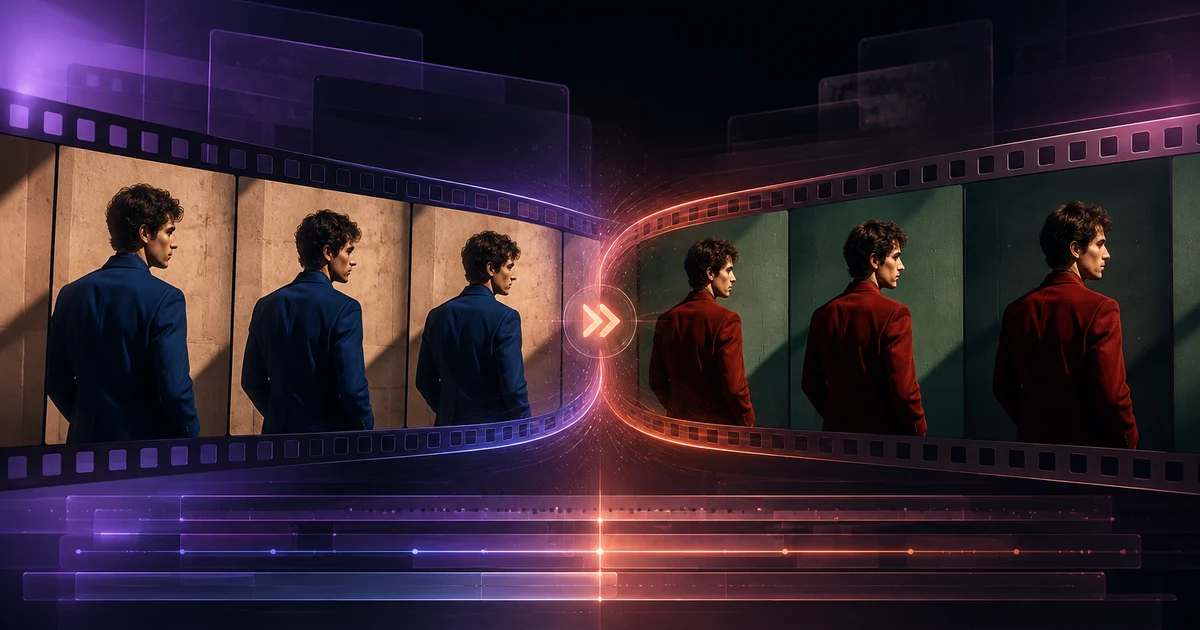
Pruna’s P-Video-Edit is now available on Tellers, adding instruction-based AI video editing to the same agentic workflow creators already use for generation, assembly, and delivery.
The model starts from footage that already works. Upload a source video of up to 15 seconds, describe one focused change, and P-Video-Edit returns a new version of the clip. You can change an attribute, remove or add an object, or modify part of the environment without asking a generation model to rebuild the entire shot from scratch.
That is the useful distinction: the source video keeps supplying the performance, timing, framing, and camera motion. Your prompt tells the model what to edit.
Edit the Shot You Have, Not the Shot You Wish You Had
AI video generation is excellent when you need a new scene. It is less efficient when the scene is already right and only one detail is wrong.
Maybe the product color changed after the shoot. A distracting object needs to disappear. The wall should match a campaign palette. An actor’s jacket needs a new color, but their movement and the camera should stay untouched.
P-Video-Edit gives the Tellers agent a specialized tool for those targeted revisions:
- One source video of up to 15 seconds
- One text instruction describing the principal edit
- Up to four optional reference images for supported reference-guided tasks
- Draft mode for faster, lower-cost previews
- Audio preservation enabled by default
- Reproducible results through an optional seed
Instead of reopening a production or trying to regenerate the same performance, creators can work directly from the strongest existing take.
What You Can Change with P-Video-Edit
P-Video-Edit works best when the request is precise and the desired result remains recognizably the same shot.
Change an attribute
Adjust the color or appearance of an existing subject while preserving its shape and motion. For example: change only a blue jacket to red while keeping its cut, folds, the actor, lighting, background, and camera unchanged.
Remove an object
Delete an unwanted element and reconstruct the area behind it. This is useful for cleaning up products, sets, props, and visual distractions without rebuilding the scene.
Add a focused detail
Introduce a simple object that follows the existing subject and composition, such as a scarf or a product detail. Optional reference images can help guide supported additions.
Modify the environment
Change a contained part of the setting — such as a wall color or material — while preserving the room geometry, shadows, people, furniture, and camera movement.
The model is not intended to turn every source into a completely new plot, action, or camera setup. Big changes to character motion, object shape, camera angle, zoom, or scene structure are better treated as a new generation. P-Video-Edit is strongest when the instruction can be summarized as: change this, preserve everything else.
A Faster Draft-to-Final Editing Loop
P-Video-Edit includes two efficiency points:
- Draft mode: 0.75 Tellers Tokens per second of output video, designed for faster previews
- Full-quality mode: 1.35 Tellers Tokens per second of output video for the selected final edit
That makes a five-second edit 3.75 Tellers Tokens in draft mode or 6.75 Tellers Tokens at full quality. A 15-second edit costs 11.25 Tellers Tokens in draft mode or 20.25 Tellers Tokens at full quality.
The practical workflow is simple: run a draft, judge whether the instruction changed the right thing, refine one variable if necessary, and only then produce the full-quality result. This matters because creative editing is rarely a one-prompt process. Fast previews let teams test wording and references without paying full price for every attempt.
How to Prompt P-Video-Edit
The strongest prompts ask for one principal change, describe the desired final state, and explicitly name what should remain unchanged.
A useful structure is:
Change only [the target] from [current state] to [desired state]. Preserve [shape, motion, people, background, camera, and lighting that must remain unchanged].
That is more controllable than combining a wardrobe change, a new location, a different camera angle, and a new action in one request. If the shot needs several changes, let the Tellers agent apply and review them as separate steps.
Why P-Video-Edit Fits Tellers
Tellers treats AI models as production primitives. The agent can choose a model for a specific job, review its output in the context of the full project, and continue editing instead of sending the creator through a collection of disconnected tools.
P-Video-Edit adds a particularly useful primitive: revision.
The agent can generate or ingest footage, identify the shot that needs work, make a targeted visual change, preserve its audio, compare the result, and place the accepted edit back into the timeline. If a reference is needed, the agent can also generate or retrieve an image and use it to guide the edit.
This continues the reason we partnered with Pruna in the first place. Their models are built around speed and efficiency, which keeps creators inside the feedback loop. P-Video-Edit brings that philosophy to the part of production where small changes usually become expensive ones.
What is P-Video-Edit?
P-Video-Edit is Pruna's instruction-based video-to-video editing model. Upload a source video of up to 15 seconds, describe one change in text, and the model returns an edited version while preserving the rest of the shot as closely as possible.
Can P-Video-Edit use reference images?
Yes. P-Video-Edit accepts up to four optional reference images for supported edits. They can guide the identity, appearance, or style of the requested change while the source video provides the original motion and composition.
How much does P-Video-Edit cost?
P-Video-Edit costs 1.35 Tellers Tokens per second of output video in full-quality mode and 0.75 Tellers Tokens per second in draft mode. Draft mode is designed for faster, lower-cost previews before producing the final edit.
P-Video-Edit is available now on Tellers. To revise an existing shot with a focused text instruction, open Tellers, upload a short source video, and describe the change you want to make.