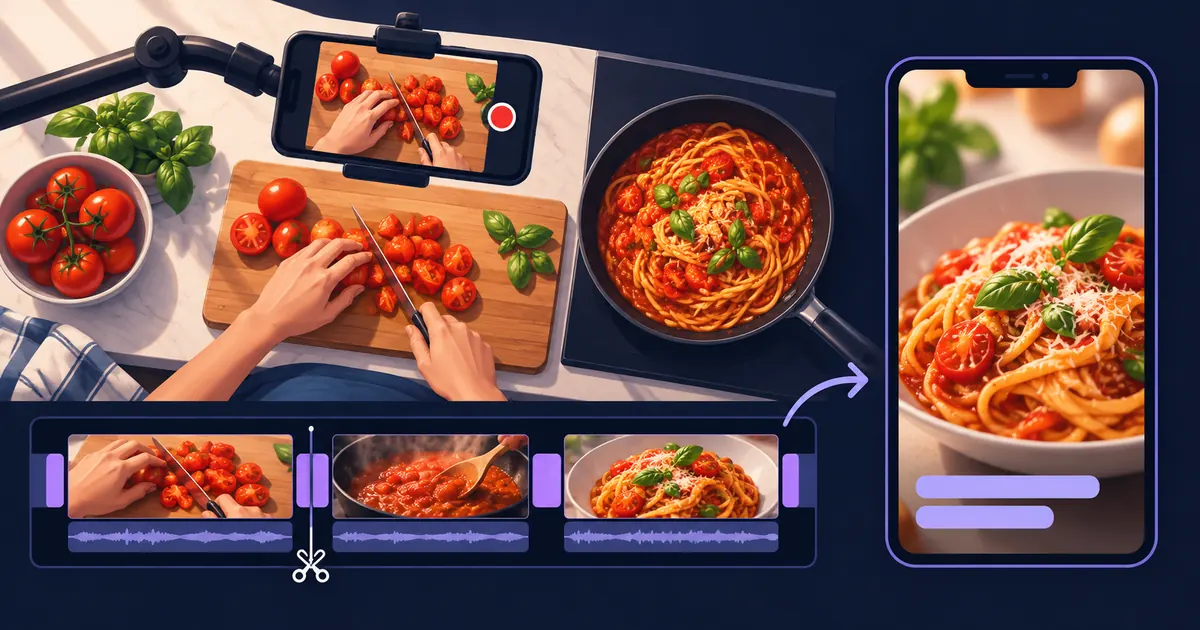
A cooking video can lose its meaning in a single cut. The sauce is thin, then suddenly thick. An ingredient appears in the pan without being added. The vertical crop follows your face while your hands do the useful work outside the frame.
To edit cooking videos with AI, start with your recorded footage and a written recipe, then ask for a cut that preserves the sequence of actions. Shorten repetition, keep the changes in texture and technique, and check every quantity and timing label before you export.
This guide focuses on turning real cooking footage into a recipe Reel or Short. The same approach works for a food blogger filming overhead, a home cook recording on a phone, or a restaurant showing how a dish comes together.
Decide what the viewer should be able to do
Choose between two briefs before you edit:
- A followable recipe: the viewer should understand the ingredients, order and key cooking cues. Give them the complete written recipe alongside the video if the short cannot hold every detail.
- A dish teaser: the viewer should want to try or order the dish. Show the preparation and finished plate, but avoid presenting an incomplete montage as a complete tutorial.
For a simple pasta recipe, a 45–60 second cut can be a useful starting brief. That is an editing target, not a requirement. A technique such as folding dough may need a longer uninterrupted shot than a quick garnish.
Open with a clear view of the finished dish, then return to the beginning of the preparation. You can reveal the result without scrambling the instructions.
Give the editor the footage and the recipe
Keep the recipe text beside your source clips. Include the ingredient quantities, sequence, cooking times and any visual cues you want the viewer to notice.
Rename ambiguous recordings if it helps you give directions: 01_chop_tomatoes, 02_sauce, 03_add_pasta, 04_plate. These are suggested labels, not a required file format. Mark retakes or abandoned attempts so the edit does not combine two different versions of the dish.
Check that you have footage of:
- The ingredients going in, especially anything added off camera.
- The action that changes the food: chopping, mixing, browning, folding or plating.
- The texture before and after an important stage.
- A clean finished-dish shot.
Tellers supports editing your own footage, finding relevant moments and refining a timeline through natural-language instructions. Our Tellers Basics series includes a lesson on cutting your own recordings. For a cooking edit, supply the footage and paste the recipe into the conversation so the brief has both the visual material and the instructions.
Build a cut around changes, not every second of cooking
The most useful recipe shots show what happens and what the result should look like. Repeated stirring rarely needs its full recorded duration. The moment the sauce reaches the intended texture may deserve more time.
Use this as an editorial checklist for a simple tomato-pasta video:
| Source footage | Keep visible | Shorten or remove |
|---|---|---|
| Chopping tomatoes | A clear view of the intended size | Repeated chopping after the technique is clear |
| Adding ingredients | Each addition and its place in the sequence | Reaching for bowls and empty pauses |
| Cooking the sauce | The starting texture and the recipe’s finished texture | Repetitive stirring between those states |
| Combining and plating | Pasta meeting sauce, then a readable finished dish | Extra plating attempts and camera adjustments |
If you compress a long cooking stage into a few seconds, label the actual duration from your recipe. The edit should not imply that the food cooks in the time it takes to watch the clip.
Here is a starting prompt to adapt after adding your own recordings and recipe:
Edit my cooking footage into a vertical recipe video, aiming for
45–60 seconds if the steps remain clear.

Use only the supplied footage. Open with a short finished-dish
shot, then show preparation in recipe order.

Keep each ingredient addition and important change in texture.
Shorten repeated stirring, chopping and waiting. Do not remove
a step simply to meet the target duration.

Use the written recipe below for ingredient quantities and
cooking-time labels. Do not infer missing quantities from images.

Keep the hands, board and pan visible when reframing. Place short
instruction labels away from the food and working area.

Preserve useful cooking sounds. Keep any music below speech.
Flag missing footage or unclear instructions for my review.

Recipe and notes:
[Paste the recipe, clip labels and any retakes to avoid.]
Treat this as a brief for a first cut. Review the timeline against your recipe; an instruction to preserve every step still needs your check.
Make the vertical crop follow the action
For overhead cooking footage, the centre of attention may move from the cutting board to the stove. A single crop can work for one stage and hide the next.
Review each shot in the intended 9:16 layout. Can you see where the ingredient lands? Is the knife visible during the technique? Does the pan stay in frame when it is lifted?
If the source is too wide, keeping the whole shot with space around it can be more useful than filling the screen and losing the action. Ask for a specific revision:
In the chopping section, keep the full cutting area visible. In the sauce section, centre the pan. Use a wider view wherever a tight crop would hide an ingredient addition.
Keep instruction labels away from your hands and the part of the food the viewer needs to inspect. Check them at phone size, including in the destination app’s upload preview, where interface controls may cover part of the picture.
Check ingredient labels separately from speech captions
Speech captions and recipe instructions serve different jobs. A caption can accurately transcribe “add a little more” while still leaving the viewer unsure what to add.
Use the written recipe as the source for ingredient labels. Check units, fractions, spelling and timing against it. Do not ask an AI editor to estimate quantities from a bowl or spoon on screen.
If you are speaking, use captions for the explanation and reserve additional labels for information the speech leaves out. If there is no voiceover, use concise action labels such as “Add the tomatoes” or “Cook until the texture shown here”, with the recipe’s timing where appropriate.
Then watch once without sound. You should still be able to follow the sequence. Watch again with sound to check that chopping, sizzling and speech are not buried under music.
Review the first cut as someone making the recipe
Before exporting, ask:
- Can I tell what the finished dish is in the opening?
- Are all necessary ingredients and actions accounted for?
- Are shortened cooking stages clearly labelled?
- Can I see the important texture and technique cues?
- Are text labels accurate and readable before they disappear?
- Does the final shot show the same dish made in the footage?
Fix the first unclear moment before polishing transitions. If the sauce appears to change without explanation, restore the missing step or add the accurate instruction. If a shot is missing entirely, record a pickup or explain the gap.
You can also make a separate teaser from the finished-dish and preparation shots. Give it a different brief and point to the full recipe, rather than simply speeding up the instructional cut.
For a single clip that only needs its beginning or end removed, the free Tellers video trimmer may be enough. It processes video locally in the browser without an upload. A multi-clip recipe with reframing, text and revisions is a fuller editing task.
Start your cooking-video edit in Tellers, then add your recordings and written recipe.
Frequently asked questions
Can I make a cooking Reel from horizontal footage?
Yes, if the important action fits inside a vertical frame. Check the hands, knife, board, pan and ingredient additions shot by shot. If a crop hides a step, use a wider view with space around it instead of cutting away information.
How do I edit a recipe video without voiceover?
Keep the steps in order and use short labels for actions, quantities and timing, checked against your written recipe. Let useful cooking sounds remain audible. Watch the result without sound to check that the instructions still make sense.
What if I forgot to film a recipe step?
Record a short pickup shot if you can. Otherwise, explain the missing action with an accurate text instruction or voiceover. Do not insert a generated cooking shot and present it as evidence of what happened in your kitchen.