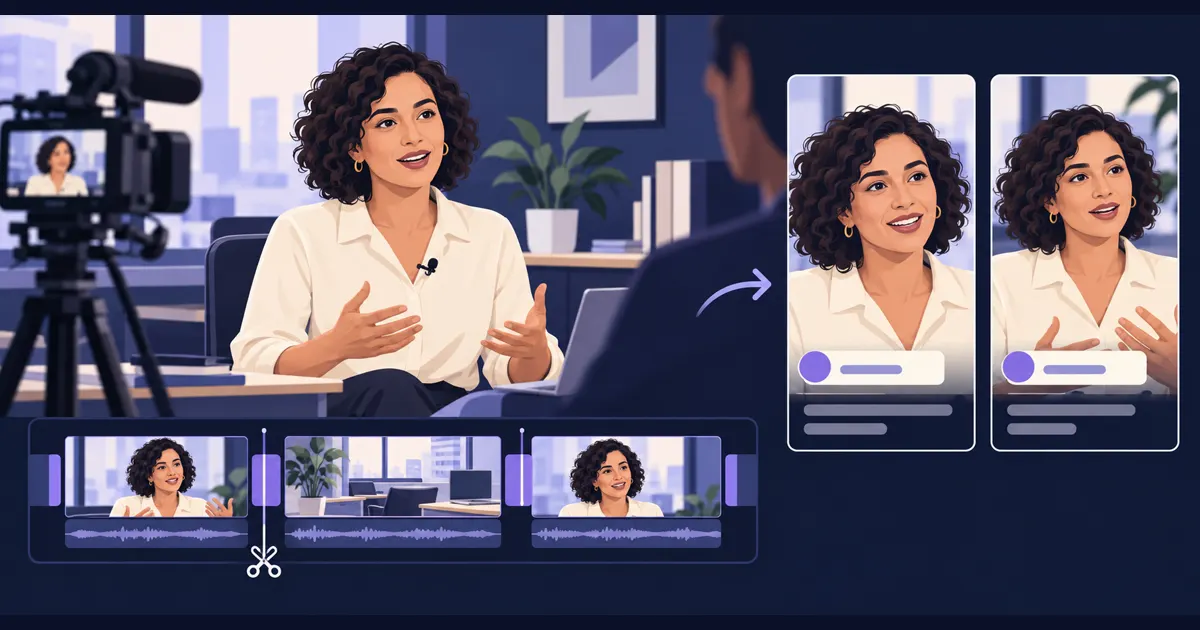
To edit customer testimonial videos with AI, start with a real interview, choose one story for the viewer, and ask the editing agent to assemble a first cut from the customer’s words. Review the meaning and pacing, then make shorter versions for your website, sales team, or social channels.
The useful material is often already in the recording: a specific frustration, the moment something became easier, or an explanation of why the customer chose you. The editing job is to bring those moments together so someone who missed the interview can follow the story.
Start with one customer and one clear point
Before uploading, write down who the video is for. A prospective buyer evaluating your product needs different context from someone scrolling past a short clip.
Choose one question the edit should answer: What changed for this customer? A simple structure is:
- Before: what was difficult or taking too much time?
- Experience: how did the customer use the product or service?
- After: what improved, in their own words?
You do not have to follow the order of the interview. A strong, specific result can open the video, followed by the context that makes it credible. Keep any qualification attached to it: “for our weekly reports” matters if the customer is describing a time saving on that particular task.
Prepare the footage and the brief
Bring the interview recording, any separate microphone audio, and relevant footage of the customer’s work. Supporting footage, often called B-roll, can show what the speaker is describing and cover a visible cut between two answers.
Also provide the speaker’s name, role, company spelling, and any approved brand assets. Use material you have permission to share. If the customer recorded several takes, identify anything that should stay out of the edit.
In Tellers, the Short Interview Edit agent is a useful starting point. It works with interview transcripts and footage, assembles selected answers, and supports dialogue cuts, titles, B-roll, and music. You can revise its timeline through chat or in the editor.
Give the AI a testimonial editing prompt
Specify the audience, the intended output, and what must remain faithful to the source. Here is a brief to adapt:
Edit this customer interview into a 60-90 second testimonial
for our website. The audience is [prospective customer type].

Use only the supplied footage and the customer's actual words.
Build a clear story around their problem, experience, and result.
Open with a specific answer that makes sense on its own.

Remove false starts, repeated answers, and long pauses.
Keep natural speech and any qualifications that affect meaning.
Do not combine fragments to create a claim the customer did not make.
Keep the original voice. Do not generate customer quotes or results.

Add the approved speaker name, role, and company near the start.
Use relevant supplied B-roll where it helps explain the answer.
Add readable captions and keep any music quieter than speech.

Create a landscape first cut and leave the timeline editable.
If the recording does not support part of the brief, tell me.
Open this testimonial brief in Tellers, then add your recordings and audience details. Treat the requested duration as a starting target: a complete answer is more useful than a sentence cut off to hit a number.
Review the story before polishing the graphics
Watch the first cut once without stopping. Can you understand the problem and the change without having heard the original questions?
Then inspect the dialogue cuts. Removing an interviewer can leave answers such as “Yes, exactly” or “That’s why we did it” without an explanation. Keep enough of the question, add a short factual question card, or choose a more self-contained answer.
Give precise revision instructions:
“Keep the explanation of the onboarding problem before the result. Remove the second introduction. Let the final answer finish before the closing card.”
If a jump cut looks distracting, cover it with relevant supplied B-roll. Avoid putting unrelated footage over a claim about a particular customer. A clean cut is preferable to a visual that suggests something the interview never established.
Turn the approved interview into social clips
Once the main story works, ask for a few short edits with different purposes. These are suggested editorial briefs, rather than platform limits:
| Version | Starting length | Focus |
|---|---|---|
| Website testimonial | 60-90 seconds | The problem, experience, and result |
| Social clip | 20-40 seconds | One specific answer with enough context |
| Sales follow-up | 30-60 seconds | An answer to a common buyer question |
For example:
“From this approved testimonial, create three separate vertical clips: one about the original problem, one about the experience, and one about the result. Each should make sense independently. Keep the customer’s words and check that the speaker’s face and captions fit the frame.”
Tellers documents this approach in its guide to social clips from a long interview. For a published example of turning source recordings into a batch of short videos, see how we made the Tellers Basics series.
Check the final video with sound on and off
Before sending the edit to the customer for approval:
- Listen across each cut. Words should flow naturally, with no clipped syllables or abrupt changes in background sound.
- Compare claims with the recording. Keep numbers, timeframes, and qualifications intact.
- Read every caption. Correct names, product terms, and transcription errors.
- Watch the vertical version on a phone. Check the face, question cards, and caption placement.
- Confirm the ending. Give the answer room to land before the next action or closing card.
The AI can assemble and refine the cut; your review determines whether it tells the customer’s story well.
Can AI edit a customer testimonial from a long interview?
Yes. Tellers can select passages from an interview, assemble an editable timeline, and help with pacing, titles, captions, and social formats. Review the selected passages against the recording before sharing the finished testimonial.
How long should a customer testimonial video be?
A 60-90 second website edit and a 20-40 second social clip are useful starting briefs, not platform requirements. Keep enough context to explain who the customer is, what changed, and why it matters.
Can I keep the customer's original voice?
Yes. Ask Tellers to use the original recorded speech and supplied footage. This workflow edits a real interview; it does not require a generated voice or an AI avatar.
Can I make several social clips from the same interview?
Yes. Tellers supports extracting multiple self-contained clips from a longer interview. Give each clip one clear point and review its opening, captions, and framing independently.