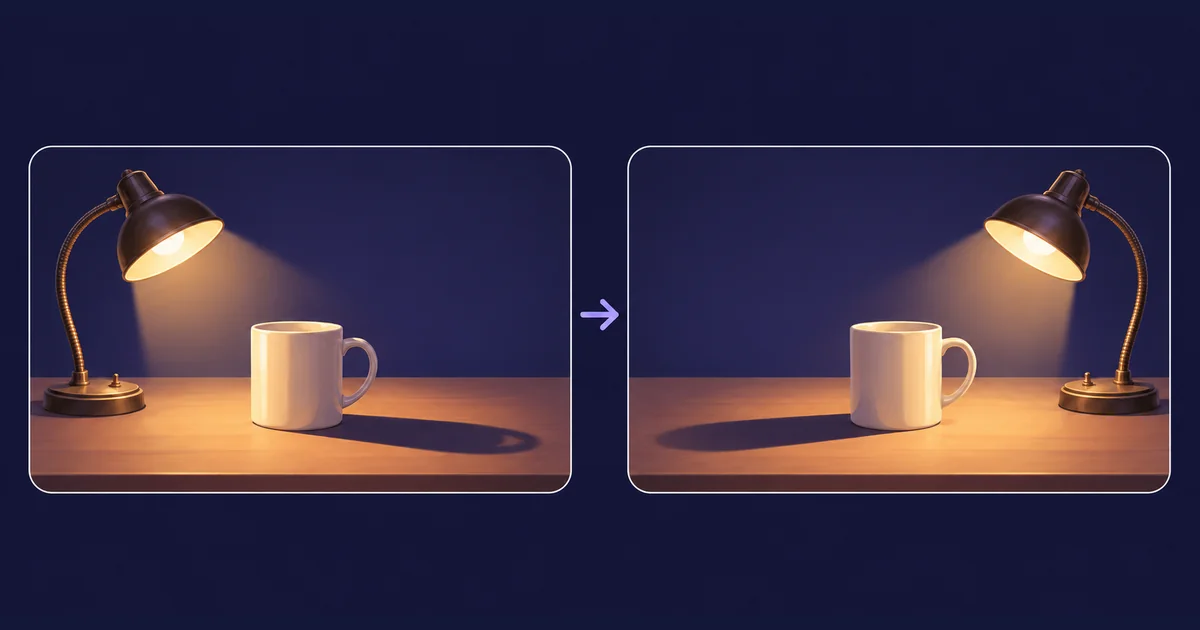
Ask a video generator to move a lamp from left to right and you want the shadows to follow. You probably don’t want a new mug, a new camera angle or a different table. Knowing what else should change is part of making a good edit.
Yifan Shen and colleagues explore that distinction in Causal Dioramas, a preprint submitted to arXiv on November 17, 2026. In one example from the paper, the authors changed a single word describing numbered balloons and reused the same starting noise. The sofa and other balloons still changed. Even when the random starting point stays fixed, rewording a prompt can disturb more than you intended.
Make the edit in a description of the scene
The research framework gives separate parts of the scene their own descriptions: objects, where they are, how they move and how they interact. It also records which parts depend on others. The system changes the requested parts and follows those relationships. In the authors’ example, removing an object also removes interactions involving that object.
The generator then makes a new version using the revised scene information and the same underlying noise. If the system generated the original shot, it already has the scene description and noise it used. With recorded footage, it has to infer both first. That adds work and gives it more opportunities to get something wrong. In their conclusion, the authors flag the extra time the system’s agent takes to work through a revision.
On the authors’ real-video editing test, the framework scored highest overall on OpenVE-Bench, though it did not lead in every edit category. That supports the approach on the tested clips. It does not show that unrelated pixels stay identical or that the system can reliably infer every part of an unfamiliar shot.
Give the model fewer decisions when you can
Before regenerating a shot, work out whether the note changes the scene or the edit. Moving a visible lamp changes the scene: the light and shadows should move with it. Moving a title up so it doesn’t sit on top of a product is a timeline edit. Keeping that title on a separate layer means you can fix it while leaving the footage alone.
If the shot itself needs a new version, name what must move with the change. A useful brief is: “Move the lamp to camera right. Let the mug’s shadow fall to the left. Keep the mug, tabletop and camera position.” Compare the result to the original at the moment the change is easiest to see, as well as at the cut into the next shot.
In Tellers, you can keep the original clip in your project and ask our editing agent to put the approved alternative in the cut while retaining other layers: “Replace the overhead shot at 00:06 with this take; keep its duration, narration and title.” That’s a way to bound the change you make to the edit, regardless of how the replacement clip was made.