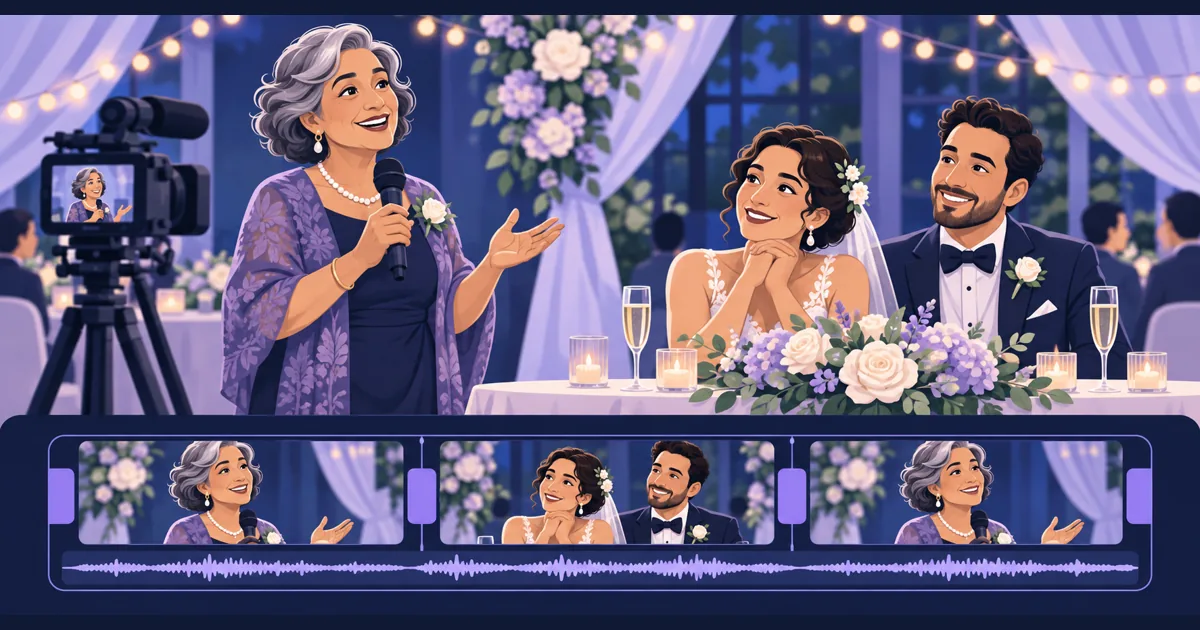
To edit complete wedding speeches with AI, give the agent a preservation brief: keep each speaker’s full story, use the clearest recorded sound and make only the cuts that help someone watch it comfortably. The result is a separate film the family can return to, rather than a few lines selected for a highlight.
Our wedding video guide covers assembling guest clips into a highlight film. Here, the deliverable is different: one complete speech, or a collection of speeches in their original order.
Define what “complete” means
Before editing, agree which material belongs in the delivery. Does the introduction count? Should the applause remain? Is there a private anecdote the couple wants excluded? Write down those decisions instead of letting a duration target decide what survives.
For a parent’s toast, you might keep everything from their introduction through the final raised glass, including the moment they stop to laugh. Trim the minute spent adjusting the microphone before they begin. A repeated sentence may be an intentional joke, so “remove all repetitions” is a poor instruction.
Name the speaker and provide the correct spelling for a simple opening title. If you are delivering several speeches, keep a separate version of each as well as any combined film. That makes it easier to find a particular person’s words later.
Choose the sound before the camera angle
Gather the camera recordings and any separate microphone or recorder files. Keep the originals. Listen to the same passage in each recording and identify the clearest voice, rather than assuming the best-looking camera also captured the best audio.
Give Tellers that choice explicitly. Our editing tools can build and revise a timeline by prompting; your brief supplies the decisions that matter to the family.
Prepare a complete edit of Maya's wedding speech.

Use reception_camera_A for the main picture and speech_recorder
for the preferred audio. Align them and flag any sections where
the recordings do not match or the voice becomes unclear.

Keep the speech in its original order, including meaningful
pauses, laughter and the closing toast. Do not shorten it to a
target duration, rewrite words or generate replacement speech.

First identify the start and end, plus any technical interruptions
you propose trimming. Show source timestamps for my review.
Check alignment near the beginning, middle and end. A match at the first sentence does not establish that two separate recordings stay aligned throughout. If the sound drops out, use another actual recording where available. A transcript can help locate a passage, but it cannot restore words missing from every source.
Change the picture without breaking the speech
Once the audio is approved, decide where another camera adds something. A shot of the couple listening can be valuable when it belongs to that moment. It should not imply that someone laughed at a different remark.
| Situation | Useful editing choice |
|---|---|
| Clear, steady speaker shot | Let it run without unnecessary cuts. |
| Camera briefly loses focus | Use a synchronised alternative angle if available. |
| Couple reacts during the toast | Keep the reaction in its real context. |
| Only one usable camera | Stay on that angle rather than manufacture variety. |
Ask the agent to keep the approved speech track continuous while changing the picture:
Build the full speech from the approved boundaries.
Keep the chosen audio continuous. Use camera B only for
synchronised reactions or to cover camera A's focus problems.

Add a restrained title: "Maya's speech".
Leave music out. Keep the applause after the toast.
Show the playable timeline before export.
This is vibe editing with a clear editorial boundary. You can direct a revision such as “Stay on Maya during that pause; return to the couple only when they raise their glasses.”
Review for the person who will watch it years later
Listen through the entire edit, including every camera change. Check for clipped first syllables, abrupt volume changes and missing endings. Watch the speaker’s lips at several points and compare any questionable cut with the original.
Then check names, titles and the final applause. If the family wants a public excerpt, create it as a separate version and agree what can be shared. Keep the complete edit intact.
Open Tellers with the recordings and a short preservation brief. The most useful first cut may be the one that changes very little.
Frequently asked questions
Should a full wedding speech edit include every pause?
Keep pauses that carry emotion, laughter or a change of thought. Trim setup time and obvious technical interruptions only after checking that nothing meaningful is lost.
Can I make a speech video from one camera?
Yes. A stable single angle with clear sound is enough. There is no need to invent cutaways or crop constantly; keep the speaker visible and let the speech carry the video.