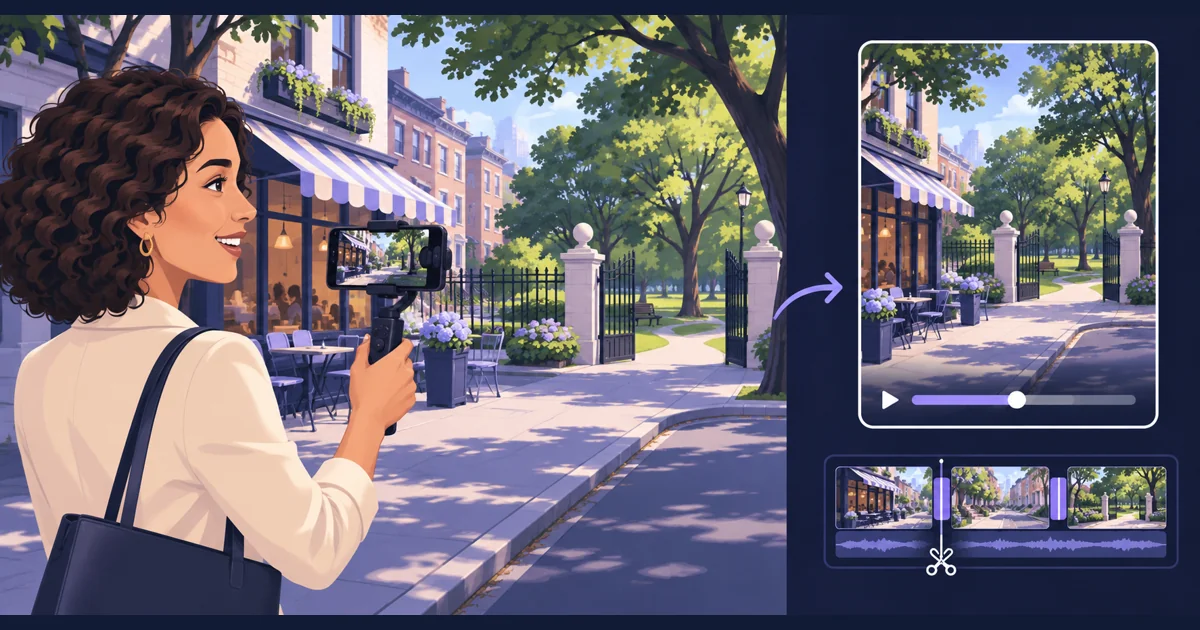
A useful neighborhood tour video answers one local question with footage of the actual area. Choose a short route, film a few recognizable stops and ask Tellers to build an edit that helps viewers understand how those places connect.
For a real-estate agent, this creates a different kind of video from a property walkthrough. You are showing the surroundings people want to understand before arranging a viewing. Our listing video guide covers the home itself; this guide covers the streets beyond its front door.
Give the tour one clear purpose
“Everything about the neighborhood” is too broad for a short video. A specific question gives you a route and a reason for every shot. Try “What is around the station?”, “Where does this riverside path lead?” or “What can you see along the high street?”
For example, a station-to-park tour could show the station exit, the shopping street and the park entrance. The viewer learns the sequence of places without watching every step of the walk. You can present it on camera, record a voiceover afterwards, or let short location titles carry the explanation.
Keep descriptions grounded in what you can show. “A tree-lined path beside the river” tells viewers more than “the perfect neighborhood”. Avoid turning your personal impression into a claim about everyone who lives there.
Film the route, not just the highlights
At each stop, record a wide view that identifies the place and one closer detail that adds something useful. Include a connecting shot when the route changes direction: a crossing, corner or entrance. Those small pieces make the geography easier to follow in the edit.
| Stop | Useful footage | Context to supply |
|---|---|---|
| Station exit | Exit sign and street outside | Exact station and exit name |
| Shopping street | Wide street view and one storefront | Correct street and business names |
| Park entrance | Gate, path and nearby landmark | Name of the park and entrance |
A steady phone shot is enough. Hold each view for a few moments before moving on, rather than recording one continuous pan that never settles. If the finished video will be vertical, frame the important sign or landmark so it remains visible in that format.
Use footage you are entitled to publish, and arrange permission before making a business interior or interview part of the tour. Keep incidental passers-by out of close-up shots where possible. There is no need to turn a neighborhood guide into a collection of strangers’ faces.
Give Tellers the route and the facts
Upload the clips with a short note naming the stops in order. Add the exact text you want displayed and any narration you have recorded. AI editing can organize the material, but your brief should supply the local facts.
Make a 45-second vertical neighborhood tour from my footage.
Route: [station exit] → [shopping street] → [park entrance].
Purpose: show what this short route looks like.

Use only the uploaded footage of these places. Keep the stops
in route order. Open with a recognizable view and the title
[neighborhood name]: station to park.

Use these verified location labels: [names]. Include connecting
shots where they help explain the route. Keep narration clear,
music low, and location titles readable. Do not invent distances,
travel times, local amenities or property details.
Finish with [my contact or next step]. Show me an editable cut.
This is a practical vibe editing brief: describe the result, supply the material and identify what matters. Forty-five seconds is a starting choice, not a platform requirement. A route with more context may need a longer edit.
If you include a walking time, measure the route you actually show and describe it accurately. Do not let a fast montage imply that two places are adjacent when they are not.
Turn it into a repeatable local series
Review the first cut for geography and pacing. If a jump between stops feels confusing, ask for the connecting shot rather than another transition effect. If a location title disappears too quickly, shorten the wording or hold that shot longer.
Save the format for your editing agent: a clear question, a few stops, useful labels and one next step. Change the route and footage for each episode. That gives you a repeatable way to make marketing videos with AI while keeping each guide specific to the place.
Open Tellers with one route’s clips and build your first local guide.
Frequently asked questions
How long should a neighborhood tour video be?
For a short social tour, start with 45–60 seconds and one route or question. A detailed YouTube guide can be longer when each stop adds useful information. Ask Tellers for a short version first, then expand the stops that need explanation.
What should a real estate neighborhood video include?
Show recognizable streets, useful local places and the connections between them. Include accurate location labels, a clear route and a simple next step for viewers. Film the actual area; use AI to organize and edit the footage rather than invent local amenities.