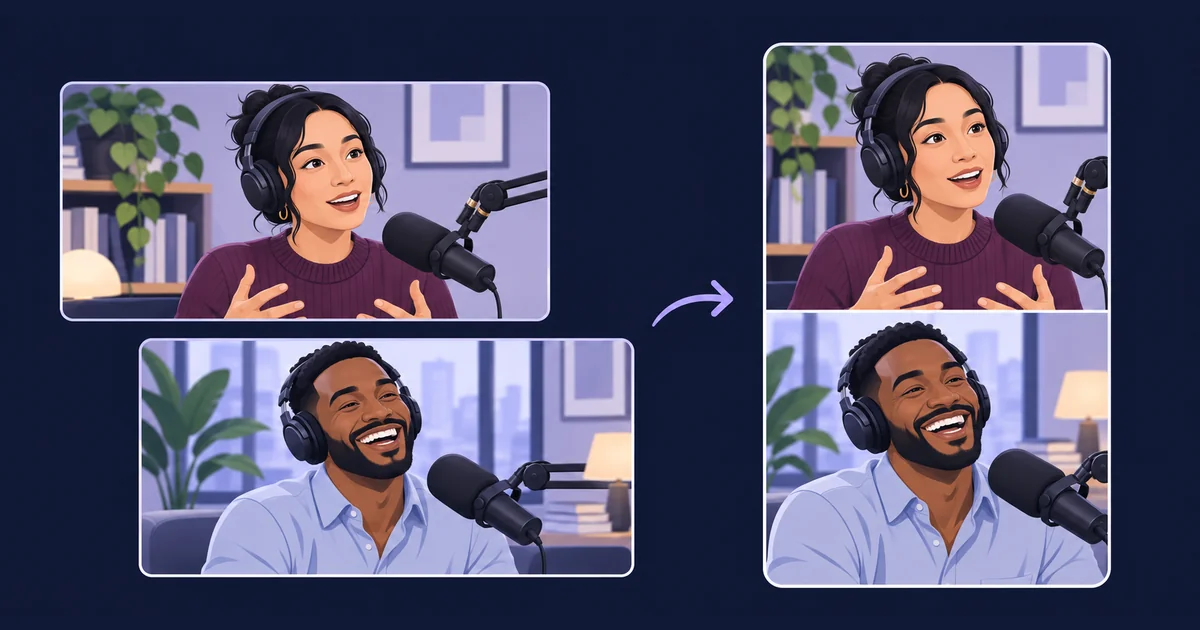
For a vertical split-screen podcast clip, put one speaker above the other in a 9:16 edit and keep one aligned audio mix underneath. Use the split when the listener’s reaction is part of the story. If one person tells a longer story on their own, a single close frame can work better.
A stacked clip lets you keep the beat between a question and an answer. Say the host asks, “When did you realise you had the wrong venue?” The guest laughs before answering. Seeing both faces adds something the transcript doesn’t capture. For help choosing the exchange itself, see our podcast episode teaser guide.
Start with two pictures and one mix
Use the separate host and guest recordings if you have them. Line them up to the same exchange using a shared sound or a distinct word. Check another cue near the end of the selection. If the files drift apart, fix the affected section before committing to the split: having both faces visible makes mismatched speech easier to spot.
If the only source is a finished video call recording with two boxes visible at once, duplicate the picture and crop one copy around each box. Play its audio only once. If the recording switches between speakers and never shows them together, stay with those cuts. Holding a frozen reaction from somewhere else makes the timing look like something it wasn’t.
Stack the speakers, then place the captions
Give each frame enough height for a head and shoulders, then adjust the crop around the person rather than the centre of the source video. Keep the host and guest in the same positions throughout the exchange. For a webcam shot where someone leans away from the microphone, give them some room to move, even if it means a slightly wider crop.
Reserve a consistent strip for captions. Try a thin band between the panels if there is enough room, or a clear area below the lower face. Review this at phone size: a line that looks tidy on a desktop can cover a smile or disappear under the app’s buttons. If the lower crop feels cramped, move the captions or use a single frame for that part.
In Tellers, upload the sources and ask our editing agent to build an editable clip. Name the approved mix and the moment you want to preserve:
Create a 9:16 clip from the question about the wrong venue
through the complete answer. The sources are Host.mp4,
Guest.mp4 and EpisodeMix.wav. Align the two camera clips to
the mix using the supplied cue: [word and source times].

Stack the host above the guest on separate picture tracks.
Keep both visible through the guest's first laugh. Use only
the aligned mix for playback. Make one caption track and
place it away from both faces. If the pictures drift or a
crop cuts off someone's face, flag the moment for review.
Keep the reaction that earns its place
Watch the first cut without sound once: can you tell who’s speaking? Then listen for the laugh or interruption that made this a two-person clip in the first place. Give a specific vibe editing note if needed: “Keep the split through the laugh, then go full frame on the guest for the explanation. Leave the audio where it is.”
Keep the layout, caption placement and mix rules in your editing brief for the next episode. Start your split-screen clip in Tellers with one complete exchange and whatever angles you have for that moment.
Frequently asked questions
Can I make a split-screen podcast clip from one recording?
Yes, if both people are visible. Put two copies of the same picture on separate layers, crop each to one person and use the original audio once. If a recording only shows the active speaker, a split screen cannot recover the other angle.
Should podcast clips stack speakers or put them side by side?
Start with a stack for a 9:16 video. Each speaker gets the full width of the frame, which usually makes faces easier to read on a phone. Use a single speaker for parts that do not need a visible reaction.
Where should captions go in a split-screen podcast clip?
Use one caption area for the conversation. Leave enough room that it does not cover either mouth or compete with the platform controls, then check a draft on a phone.