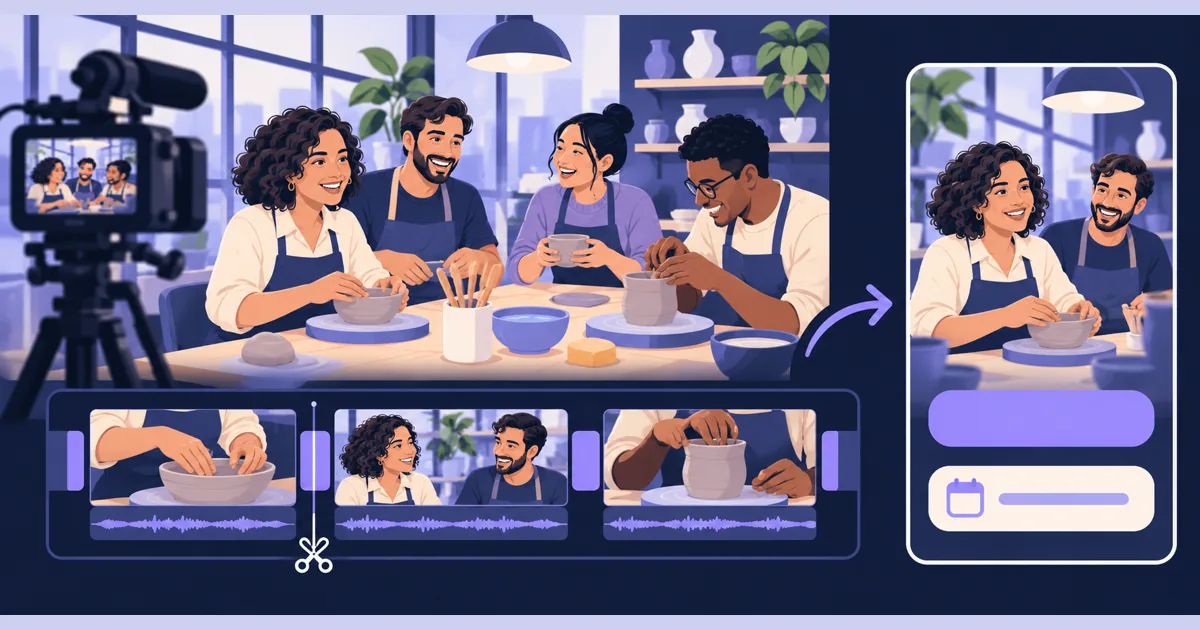
To make an event promo video with AI from past footage, select moments that show the experience you are offering again, then combine them with the new event’s confirmed details. The brief should explain why someone should attend, rather than simply replay what happened last time.
A recap thanks people who were there. A promo helps someone who was not there decide whether to come. That difference changes your opening, shot selection and ending.
Decide what the old footage can promise
Imagine a pottery workshop returning for another edition. Last time’s recording includes arrivals, hands shaping clay, a tutor helping a participant and a table of finished bowls. Those moments can explain the experience better than a wide shot of the room.
Start with one audience and one reason to attend: beginners who want to make their first bowl. Keep the new event’s approved name, date, location, booking destination and programme in a short brief beside the footage.
Separate reusable experience shots from details that have changed:
| Footage | Decision for the new promo |
|---|---|
| Close-up of someone shaping clay | Use if that activity is part of the new programme. |
| A tutor addressing the group | Check whether they are returning before presenting them as this edition’s tutor. |
| A venue exterior | Replace if the location has changed. |
| Old date or sponsor on a banner | Choose another angle or explicitly identify the earlier edition. |
Use only material you are authorised to repurpose. This is also a useful moment to check whether the music in an old highlight film belongs in a new campaign.
Find moments that answer a newcomer’s questions
Upload the relevant recordings to Tellers and ask our agent for a small shortlist. Our footage search and editing tools let you move from locating a moment to building the first cut in the same conversation.
Find footage for a 30-second promo for our next beginner pottery workshop.
Use the previous edition’s recordings to show:
- what participants make;
- how the tutor helps;
- the atmosphere around the table.

Return source timestamps and a short explanation for each selection.
Flag old dates, venue signs and visible names for review.
Do not assume last year’s guests or tutor are confirmed this time.
Wait for my selection before editing.
Watch the proposed shots. Prefer visible actions over vague atmosphere: a hand correcting the rim of a bowl explains the workshop more clearly than an empty studio. Keep a short exchange only when it makes sense without the rest of the recording.
For a speech-led event, an excerpt should demonstrate the kind of discussion people can expect. It should not turn an old speaker’s appearance into an announcement that they are returning.
Build the invitation by prompting
Approve the source selection, then ask for a simple progression: show the activity, show the support or social experience, and finish with the invitation.
Create a separate 30-second vertical promo from the approved selections.
Open with hands shaping a bowl, then show the tutor helping and
participants comparing their work.

Use the exact event details in my brief for editable titles.
Identify the footage as a previous edition.
Finish with the booking destination, held long enough to read.
Keep faces and the pottery visible in the vertical frame.
Show me the playable timeline before export.
This is a concrete vibe editing workflow: describe the intended result, review the cut, then direct changes. “Move the finished bowls earlier” or “Give the booking card more reading time” is more useful feedback than “make it more exciting.”
If your only source is an old finished film, our scene-splitting guide explains how to separate its shots. Baked-in graphics remain part of those images, so splitting alone will not remove an old date.
Check the invitation, not just the edit
Watch the promo as someone discovering the event. Does it show what they will do? Can they read the new details? Is the previous-edition label visible where it matters?
Check every title against the current brief, including the booking link. Then review sound, crops and the final frame on a phone. Keep the approved version as a starting point for later reminders, changing the message deliberately rather than generating a new montage each time.
Start your event promo in Tellers with the footage and the new event brief.
Frequently asked questions
Can I use last year’s event footage to promote a new event?
Use footage you are authorised to reuse and make its context clear. Check that the activities, venue and people shown do not imply unconfirmed details about the upcoming event.
What if I only have a finished highlight video?
Start with the usable sections of that export. Ask the agent to identify outdated titles and separate shots; use original footage when available to avoid carrying old graphics and music into the new cut.