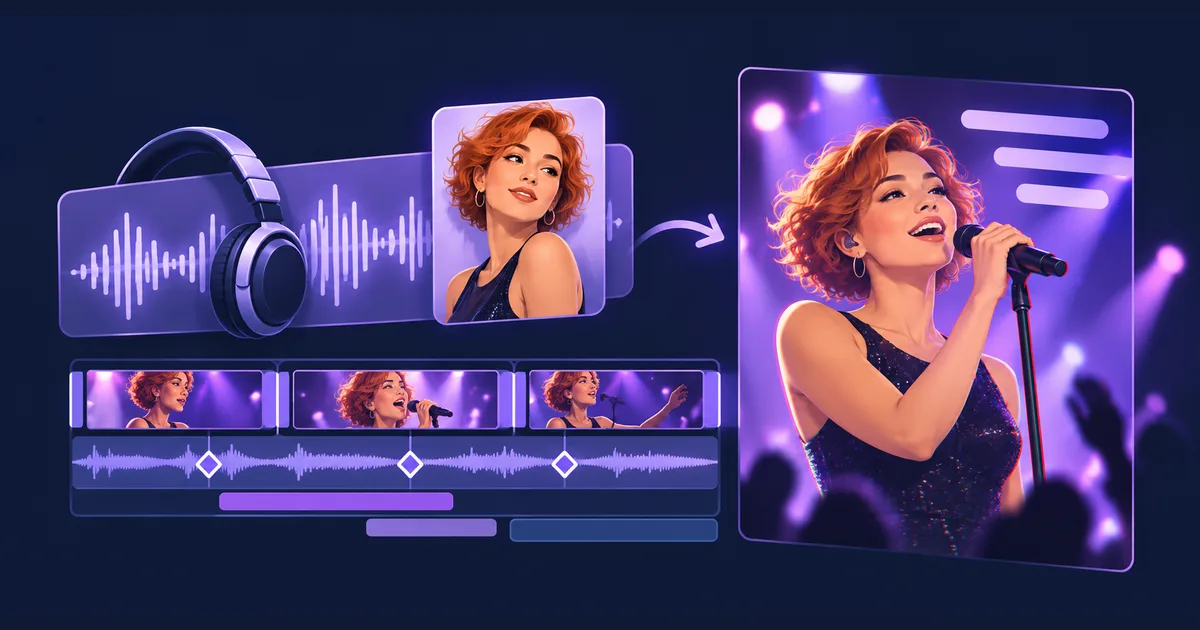
Your Suno song has a chorus you want people to hear. Now give it a performer, lyrics that move with the music, and a visual hook strong enough to stop the scroll.
With Tellers’ AI Music Video & Animated Lyric Video Maker, you can turn a Suno song into a music video in one prompt. Upload the song, describe the look, and let the agent assemble a singing avatar, animated lyrics and beat-synced effects. The result stays editable, both manually and by prompting.
If your ambition is a music video that reaches millions of views, start with a clip people want to watch twice. One prompt can produce the first version. Reach still depends on the song, the idea and how viewers respond.
Start with the strongest 30 seconds
For a first TikTok, Reel or YouTube Short, choose the section that earns attention immediately: a chorus, a surprising lyric, a beat drop or a vocal phrase that feels complete. You do not need to introduce the entire song before showing its best moment.
Download the audio from Suno and upload it to the agent. Add the exact lyrics for the excerpt so the editor has a reliable text reference. If you already have a character or performer in mind, include a portrait; otherwise, describe the person you want the agent to create.
A useful brief specifies four things: the song section, the performer, the visual style and the output format. “Make a music video” leaves all four open. “Make a 30-second vertical neon performance from this chorus, with bold lyrics that hit on the beat” gives the agent a direction it can execute.
A one-prompt Suno music-video brief
Open the music-video agent, attach your song and optional portrait, then adapt this:
Turn the chorus at [start time] into a 30-second vertical music
video for TikTok, Reels and YouTube Shorts.

Keep the uploaded Suno audio as the final soundtrack.
Use the attached portrait for the singer, or create a performer
with this look: [appearance, outfit and mood].

Style: [for example, a neon concert with purple light and a dark
background]. Start directly on the strongest lyric, with the
singer already performing. Use P-Video-2-Pro Avatar for the
performer and give me a Tellers Token estimate before generation.

Add these exact lyrics as animated text: [paste lyrics].
Reveal short phrases in time with the vocals. Keep them large
enough to read on a phone and away from the singer's face.

Use face-focused zooms and a few RGB split accents on strong beats.
Build the energy toward the drop, then give the last line room.
Keep the song, performer, lyrics and effects editable in Tellers.
The specialized agent already has instructions for the format. Your prompt supplies the song and creative choices. You can give one complete brief without manually coordinating each model call and editing step.
Choose the performer: Seedance or P-Video-2-Pro Avatar
For the strongest visual performance, choose Seedance 2.5 when quality is your priority. Give the agent your performer reference and ask it to build the performance around the supplied song. Review lip-sync and character consistency in the first result before expanding the sequence.
Our demo uses P-Video-2-Pro Avatar, the new avatar model released on October 22, 2026. It takes a portrait plus audio or a script and generates a performance that Tellers can cut, reframe and combine with lyrics and effects.
The performer is only one part of the finished video. The original song, typography, framing and timing all contribute to the result, and remain available for revision on the timeline.
How much does a 30-second Suno music video cost?
Plan for around 100 Tellers Tokens for a 30-second music video using the example workflow. This is a working estimate, not a fixed tariff. The performer model, resolution, generated visuals, agent work and number of revisions affect the total.
Avatar generation alone is a smaller part of that budget: a 30-second P-Video-2-Pro Avatar clip is estimated at 18 tokens in 480p or 36 tokens in 768p. The short model guide gives the per-second rates.
Ask the agent to estimate the complete video before generating it. If you are exploring several looks, approve the performer and visual direction on a short section first. Once the footage works, revise the lyrics, cuts and effects on the existing timeline.
A preview of the new Tellers Video Player effects
This format shows why precise effect timing matters. A zoom that lands on the beat feels intentional. The same zoom half a second late can make the whole clip feel loose.
The new effects and features coming into the Tellers Video Player give the agent more ways to animate the edit with precise keyframes. A keyframe sets a value at a particular moment, such as the zoom at the start of a word or the intensity of an effect on a snare hit.
Here is what that opens up for music videos:
- Zooms and speed changes: push toward the singer on a vocal accent or accelerate a transition into the drop. Keep the song’s playback speed unchanged unless you explicitly want a remix.
- RGB splits: briefly separate color channels for a glitch accent, then return to a clean image so the effect keeps its impact.
- Rotation and translation: tilt or move a lyric phrase as it arrives, then settle it into a readable position.
- Tracking and object tracking: follow a face or moving object so a crop or graphic stays connected to the action.
- Live background removal: separate the performer from the source background to build a different stage or graphic composition around them.
Use a small visual vocabulary. A restrained zoom on each phrase and a single stronger effect at the drop can be more effective than applying every effect continuously. The point is to make the music’s structure visible.
Keep improving the video after the first prompt
The finished project is a real multi-track timeline. You can take manual control or ask the agent to make precise changes:
Keep the song and singer. Make the first lyric appear immediately, reduce the RGB split, and move the close-up to the first beat of the chorus.
Or:
Create a second opening using the same footage. Start with the final line of the chorus as a hook, then return to the original sequence. Keep the first version too.
Check the lyrics against the recording, especially repeated words and ad-libs. Watch the result at phone size. If the words cover the face or disappear before you can read them, fix their placement and timing before adding more decoration.
That ability to keep refining the edit is useful when you are testing a song. You can try a new hook, a different crop or a calmer lyric treatment while retaining the performance you already generated.
Make your Suno music video with the Tellers agent. Bring the song and a clear direction; the agent builds a first cut you can make your own.
Frequently asked questions
How do I turn a Suno song into a music video?
Download your song from Suno, open the Tellers AI Music Video & Animated Lyric Video Maker agent, and upload the audio. Add a performer portrait if you have one, provide the lyrics, and describe the style, duration and format. The agent builds a music video on an editable timeline.
Can I make a Suno lyric video in one prompt?
Yes. The specialized Tellers agent can create a first version from one brief, combining your song, a performer, animated lyrics and beat-synced effects. You can then correct lyrics, change timing or revise the style by prompting or editing manually.
How many Tellers Tokens does a 30-second music video cost?
Budget around 100 Tellers Tokens for the example workflow. This is a planning estimate, not a fixed price: the avatar model, resolution, generated shots and retries change the total. Ask the agent for an estimate before generation.
Can an AI music video get millions of views?
It can, but no agent or prompt can guarantee that result. The song, opening hook, visual idea and audience response matter. Use the editable project to try different openings and chorus excerpts instead of treating the first version as final.