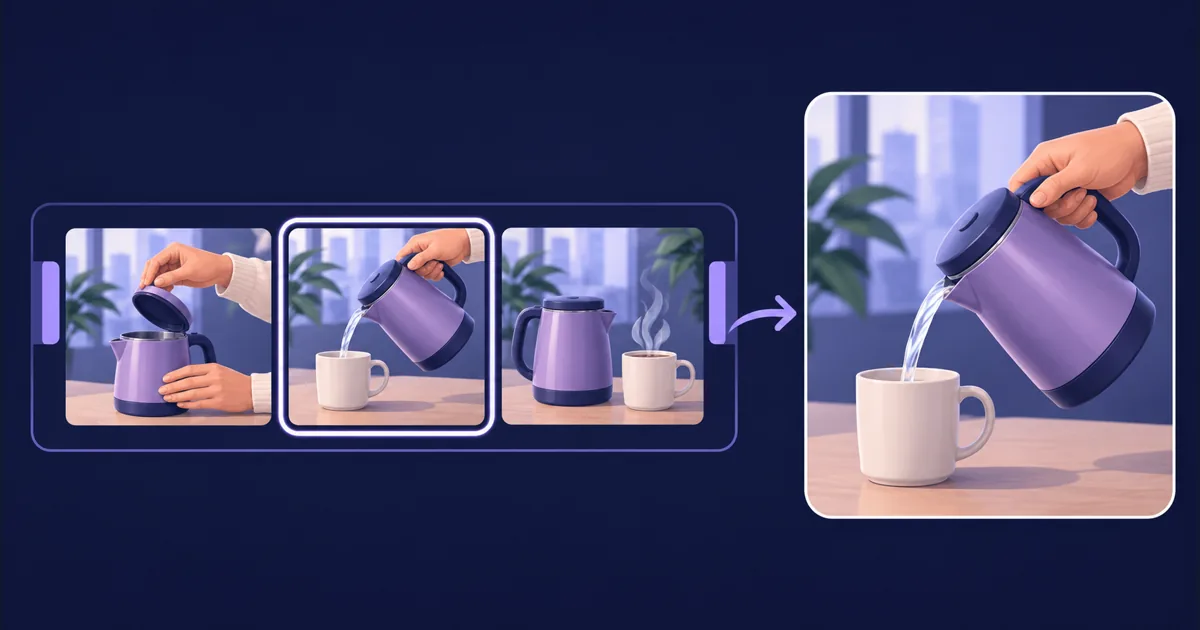
Choose a product demo thumbnail that shows the product doing the thing viewers came to see. Extract that frame from the video, inspect it at a small size, and check that the opening delivers the same promise. A beautiful product shot can be useful, but a clear demonstration often explains more.
For marketing videos with AI, this is a useful final editorial step. The agent can help shape the story; the cover should make that story understandable before playback begins.
Choose the promise before the picture
Imagine a demo of a compact travel kettle. Your footage includes unpacking, unfolding the handle, pouring water and the kettle beside a mug. Which moment belongs on the cover depends on the video’s purpose.
| What the demo explains | Frame to look for |
|---|---|
| How compact it is | The folded kettle beside a familiar object for scale |
| How it works | A clear view of the pouring action and controls |
| What comes in the box | The actual included parts arranged together |
Avoid using accessories on the cover in a way that suggests they are included when they are not. The image, title and video should describe the same product and offer.
Watch the finished edit once and note three candidate timestamps. Look for the product, an understandable action and a simple background. Skip fades, half-finished transitions, hands obscuring the important feature and expressions caught halfway through a word.
Extract the selected frame as a JPG
Our free video thumbnail maker extracts a still from a local video. It accepts MP4, MOV and WebM files and processes the media in your browser, without an account or upload to our servers.
- Open the tool and choose your video file.
- Enter the candidate’s Timestamp in HH:MM:SS format, such as 00:00:12.
- Select Create Thumbnail from Video.
- Download the JPG and inspect it. Repeat for the other candidates.
Keep the source name and timestamp with each saved image so you can find the moment again. The tool exports a frame at the video’s resolution; it does not add typography, replace the background or automatically decide which moment is strongest.
If a file will not decode, check whether your browser supports its codec. A file extension alone does not guarantee playback. Try a short compatible MP4 export, and keep the tab open while it processes.
Compare the candidates at the size people will see
Start with the images small, rather than inspecting only a full-screen preview. Can you identify the product? Can you tell what the hand is doing? Is an important detail hidden near an edge?
Then inspect the preferred image at full size for blur, compression damage and accidental distractions. A slightly earlier or later moment can give you a cleaner hand position without changing the story. If every frame is blurred, return to the source footage or film a steady pickup.
Check the intended placement’s crop before finalising the cover. A landscape frame may lose the product when forced into a portrait crop. Keep separate versions when different placements need different compositions, and preserve the original extracted JPG.
You do not need a new AI-generated image simply because the video was edited with AI. A frame from the demonstration keeps the cover tied to what the viewer will actually watch.
Make the opening match the cover
If your chosen thumbnail promises a pouring demonstration but the video starts with a long packaging sequence, revise the opening. In Tellers, you can make that change by prompting:
Revise this product demo so the opening delivers the cover's promise.
Start with the clear pouring shot around 00:00:12, then show the
setup needed to understand it. Keep the steps accurate and retain
the original product appearance. Show me the revised cut before export.
This is a small vibe editing loop: pick the message, review the result and direct a specific change. For a wider campaign, our product video variations guide explains how to keep the product consistent while changing the angle of the story.
After any revision, extract the cover from the final export and check it once more. Open the free thumbnail maker when the cut is ready, or start editing your demo in Tellers.
Frequently asked questions
Why is my extracted video thumbnail blurry?
The chosen frame may contain motion blur or soft focus. Try a nearby moment where the product and camera are still. Exporting a larger image cannot recover detail that was never captured.
Does the free thumbnail tool choose the best frame automatically?
You choose the timestamp. The tool extracts that moment as a JPG; it does not rank frames or design a cover with text and graphics.