To create product video variations with AI, give the editing agent one set of footage, approve a base edit, then specify what changes in each version. Three purposeful openings are more useful than ten near-identical exports with different transitions.
This is a practical way to make marketing videos with AI when you already have product footage. You keep the real demonstration and change how viewers enter the story. Tellers’ video-ad workflow supports editable variants with different hooks, scenes, copy and formats: supply your footage and describe the finished videos you want.
Pick three reasons to watch the same demonstration
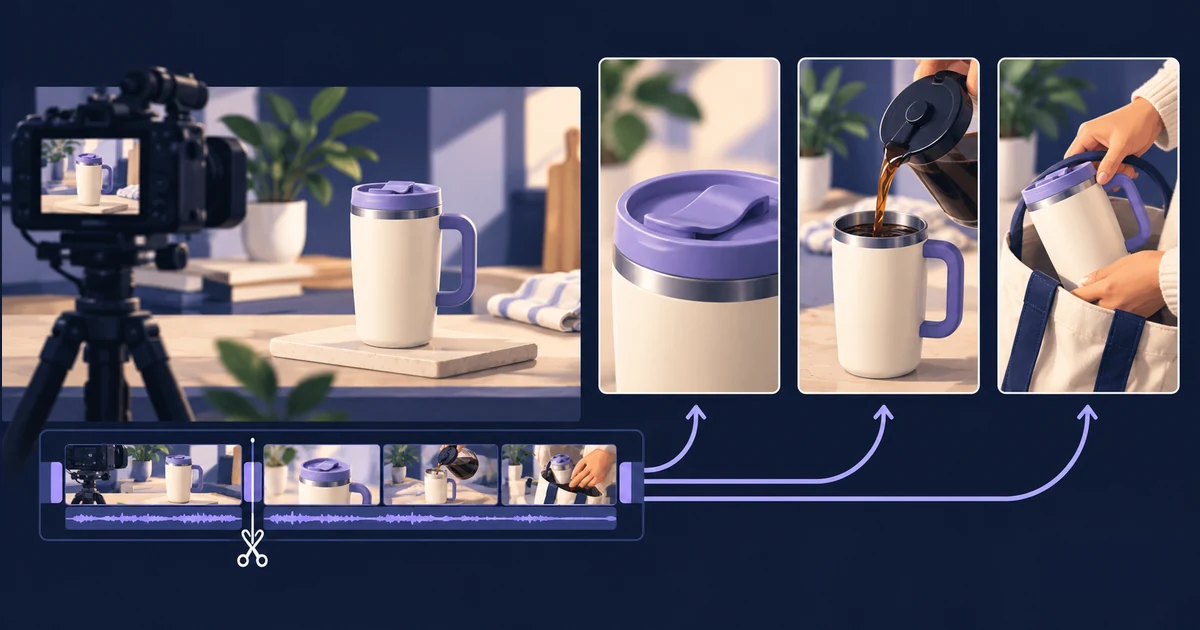
Imagine a shoot for a reusable travel mug. You have close-ups of the lid, coffee being poured, someone packing a bag and a clean product shot. These can support three openings without filming three separate ads.
| Version | Opening footage | Example headline |
|---|---|---|
| Product detail | A hand closing the lid | “Meet your next travel mug” |
| Morning routine | Coffee pouring into the mug | “Your morning, ready to go” |
| Everyday use | The mug going into a bag | “Make room for your daily coffee” |
These are illustrative creative directions. Replace them with copy approved for your actual product. A packing shot does not establish that a mug is leakproof; do not let the agent turn an ordinary scene into an unsupported claim.
Give each opening a different reason to exist. Changing the headline while showing the same first frame may be useful for a copy comparison, but it is a different assignment from comparing three visual openings. State which you want.
Build one complete edit before multiplying it
Upload the clips with clear names such as lid_close.mp4, coffee_pour.mp4 and bag_pack.mp4. Include your logo, exact product name, approved copy and destination. Identify any takes the agent should avoid.
Ask Tellers to create a rough cut first:
Create one 15-second vertical product video from these recordings.
Open on coffee_pour.mp4, show the lid demonstration, then finish
on the clean product shot with our logo and "Explore the collection".

Use only our supplied footage and approved copy. Keep titles
editable, leave room around the product, and use the supplied music.
Show me the timeline and preview before making other versions.
Review the demonstration at normal speed. Can someone understand the action? Does the product name remain readable? Does the ending hold long enough to act on? Correct those decisions once, before they appear in every variation.
If you only have stills, our product-photo animation guide covers creating an initial shot. You do not need to generate new footage merely to change an opening title or reorder existing clips.
Give the agent a variation brief with clear boundaries
Once the base edit works, request the batch in the same conversation:
Keep the approved 15-second edit as the master.
Make three separate editable versions using the opening table.

Change only the first three seconds: opening shot and headline.
Keep seconds 3–15, the music, ending, product copy and format the same.
Each new opening must join the demonstration cleanly.
Do not generate new media or overwrite the master.

Name them mug_detail_15s_916, mug_routine_15s_916 and
mug_everyday_15s_916. Show all three previews and list what changed.
The three-second boundary is an example, not a rule. Place it at a natural cut in your edit. If an opening needs longer to make sense, revise the plan instead of compressing the action until it feels rushed.
This is agentic editing with a concrete brief: the agent handles the edits while you decide what viewers should notice. For short related outputs, one batch can share the same context. Our token-usage guide explains when a growing revision history deserves a separate chat.
Review the joins, then adapt the format
Watch each opening through the first unchanged shot. Look for repeated actions, a jump in hand position, an abrupt sound cut or a headline that introduces something the rest of the video never explains. Review every export, not just the master.
Keep format changes separate from hook changes. A square version needs its own framing check: the handle, lid and text may no longer fit where they did in portrait. Ask for the required placements after approving the openings, rather than expanding three experiments into a dozen unreviewed files.
When comparing audience response, record which creative changed and what outcome matters: a qualified visit, enquiry or purchase. Different audiences, spend and delivery can affect results; three exported variants alone do not constitute a controlled experiment.
Keep the approved timeline, source clips and variation brief together. Next time, you can request a new opening around a new use case while retaining the parts that still work.
Create your first product-video variations in Tellers. Start with one shoot and three clear reasons to watch.