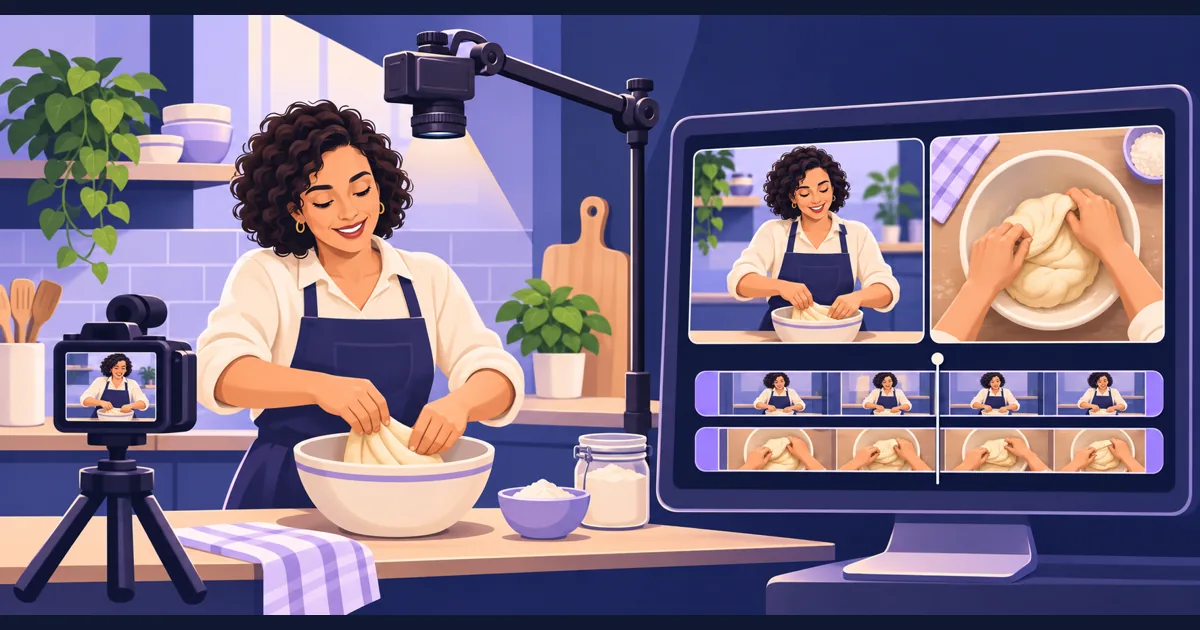
To edit a two-camera cooking tutorial with AI, align the recordings first, choose one main audio track, then switch angles according to what the viewer needs to see. Keep the host’s explanation flowing while the overhead view shows the work. The result should feel like one lesson, even though it uses two cameras.
This guide is for a complete cooking lesson with a front-facing host camera and an overhead camera. For a short vertical recipe montage, see our separate guide to cooking Reels and Shorts.
Give each camera a job
The front view establishes who is teaching and lets viewers follow an explanation. The overhead view shows ingredient additions, hand movements and changes in texture. Neither needs equal screen time.
Before editing, collect both camera recordings, the preferred microphone track and the written recipe. Name the files by camera and take, and identify abandoned attempts. Two shots of dough are not interchangeable if one comes from a different batch.
For future shoots, start both recordings and make a visible, audible clap. Leave the cameras running through each demonstration when practical. If a device stops, make a new synchronization marker when recording resumes. A quick test before cooking helps catch a microphone that is not recording or an overhead angle that hides the bowl.
Align the sources before choosing shots
Upload the recordings to Tellers and ask our agent to create a rough cut with the sources aligned. Our Tellers Basics production walkthrough shows how we used separate recordings and synchronized microphone audio in a prompt-driven editing workflow.
Build a landscape cooking tutorial from these recordings.
Front camera: host_take_1. Overhead camera: hands_take_1.
Use lav_take_1 as the main audio source.

Align the recordings using their shared clap and audio.
Check alignment at the start and near the end. Flag any section
where the recordings drift or cannot be matched confidently.

Keep the host's explanation continuous when switching cameras.
Mute duplicate camera audio. Keep the written recipe alongside
the edit and flag missing demonstration footage.
Check an obvious action in both views, such as a spoon touching the bowl. Then check another near the end. Matching the opening alone does not establish that a long recording stays aligned throughout.
Keep useful kitchen sound, but avoid playing two recordings of the same sound together. If the lavalier captures speech well but little cooking sound, ask for selected overhead-camera sound only where it improves the demonstration.
Cut to the hands when the technique matters
Use the explanation to decide which angle earns the screen. A cut is useful when it reveals information, not simply because the host has been visible for several seconds.
| Moment | Useful angle | Keep in the edit |
|---|---|---|
| Introduce the technique | Host | The purpose and what to watch for |
| Demonstrate a fold | Overhead | One complete movement at normal speed |
| Explain a common mistake | Host or relevant close view | The reason and visible correction |
| Show the finished texture | Overhead | A steady view long enough to inspect |
Ask Tellers to apply those rules:
Use the host view for the introduction and explanations.
Switch to the synchronized overhead view for each ingredient
addition and technique. Keep a complete folding cycle visible
at normal speed before shortening repeated movements.

Do not cut away midway through the movement being explained.
Preserve recipe order and use only footage from the selected take.
Watch for continuity across each angle change. The bowl should not suddenly contain more flour, and a hand should not jump backwards through the action. If a spoken sentence bridges a shortened passage, make sure it still describes the picture underneath it.
Turn the first lesson into a repeatable format
Once the angle choices work, ask for ingredient labels and speech captions. Take quantities and cooking times from the written recipe, rather than estimating them from the picture. Place text away from the hands and food.
Review the lesson as someone following it: can you see the action, hear the instruction and understand the result before the next step begins? A useful revision is “Keep the overhead shot through the whole fold, then return to the host for the explanation.” You can make that change by prompting.
Save the successful rules for the next episode: main audio source, when to use each camera, title placement and which actions must remain uninterrupted. That is a practical use of agentic editing: a repeatable editorial brief that your editing agent can apply to new recordings.
Start your two-camera cooking edit in Tellers, then provide both views and your recipe.
Frequently asked questions
Which camera should lead a cooking tutorial edit?
Use the clearest explanation as the audio backbone. Show the host for introductions and explanations, then switch to the overhead view when hands, ingredients or texture carry the instruction.
What if the overhead camera stopped recording?
Treat its next recording as a new segment with its own alignment. Use the front view where it shows the action clearly, or record a pickup for a missing technique. Do not fill the gap with footage from a different cooking stage.