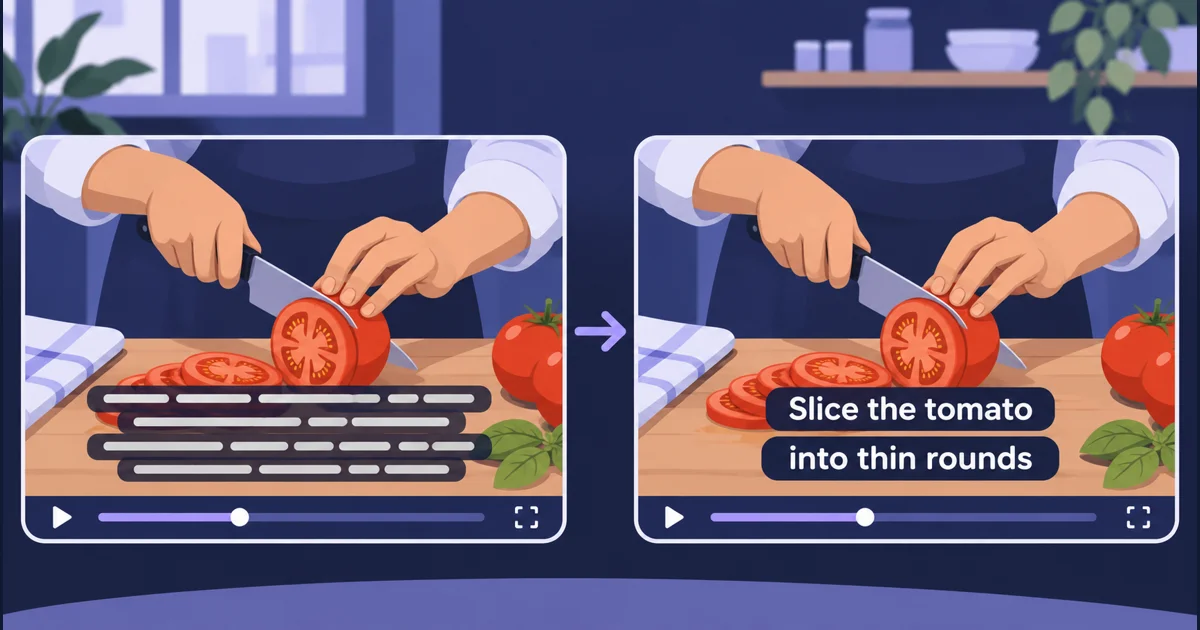
To fix subtitles that disappear too quickly, check how much text each cue contains and how long it stays on screen. Then give the words enough time, split them into readable phrases, or revise the edit. Making the font smaller does not give viewers more time to read.
This is a useful finishing step for AI editing: transcription can get the words right while the captions still feel rushed. Our free Subtitle Quality Checker checks SRT and WebVTT files locally in your browser, without an account or upload.
Check captions from the final cut
Use the subtitle file that belongs to the video you intend to publish. Captions from a full interview will not necessarily match a shortened clip, even if both files contain the same sentence.
Open or paste the SRT or VTT file into the checker. Files must be under 5 MB. Set Max characters / second and Max characters / line to your delivery requirements. The defaults are 20 and 42; these are adjustable guidelines, not universal accessibility rules. Enter the final video’s duration in seconds to catch cues that extend beyond its end, then select Check subtitles.
The report flags invalid timing, out-of-order cues, overlaps, empty text, long lines, more than two lines per cue and excessive reading speed. Download the JSON report if you need a review record. The tool does not listen to the recording or judge whether a sentence is accurate.
Fix the reason a cue is too fast
Reading speed is the number of displayed characters divided by the cue’s duration. In our checker, spaces count and formatting markup is excluded. A 60-character cue shown for two seconds needs a reading speed of 30 characters per second. Showing it for three seconds brings that to 20.
That calculation identifies a problem; the surrounding speech determines the fix.
| What you find | What to change |
|---|---|
| A cue ends early, with spare time before the next speaker | Extend it to better match the spoken phrase |
| Several sentences sit in one caption | Split them at natural phrase boundaries and time each part to the speech |
| Rapid speech leaves no room for readable captions | Consider a longer excerpt or a different take, rather than squeezing the text |
| Two consecutive cues overlap accidentally | Adjust the boundary while preserving the words’ alignment with the recording |
Splitting a cue alone does not reduce its reading speed if each new piece gets proportionally the same time. It can improve phrase grouping, but a genuinely rushed passage needs more time or an editorial decision about the source.
For a cooking tutorial, keep quantities, temperatures and warnings intact. Do not shorten “do not boil” to “boil” to make a caption fit. For an interview, avoid silently paraphrasing the speaker’s claim.
Make line breaks follow the meaning
Compare these breaks:
Add two tablespoons of
olive oil to the pan.
Add two tablespoons
of olive oil to the pan.The second keeps the ingredient phrase together. Both still need enough display time, and the preferred break depends on the actual layout. Check the caption over the picture: an ingredient label may be readable yet cover the hand demonstrating the step.
Use the findings as a revision list. Edit the subtitle text or timestamps, rerun the check, and save the corrected subtitle file separately. Download report exports JSON findings, not a repaired SRT or VTT.
Review the video, not just the numbers
Play the finished video at normal speed on a phone-sized display. Listen for names, numbers and missed words; watch whether each caption arrives with the speech. Check the beginning and end of every shortened excerpt. Recheck after moving clips or changing their duration.
In Tellers, describe the editorial changes you want to our agent:
Review the captions on my final cooking tutorial edit.
Keep quantities, temperatures and warnings verbatim.
Break captions into short phrases without covering the food
or the hands demonstrating each step. Align them with the speech.
If a passage is too rushed, suggest an edit that gives it more time
rather than silently shortening the instructions.
This vibe editing brief gives the agent concrete priorities. For recognition errors, our Scribe v3 caption guide covers the earlier transcription stage. For a fresh readability pass, open the subtitle checker with the captions from your final export.
Frequently asked questions
What is a good subtitle reading speed?
There is no single limit for every audience and delivery format. Our checker starts at 20 characters per second and 42 characters per line, both editable. Use your delivery specification when one exists, and watch the result at normal speed.
Will the checker automatically fix my SRT file?
No. You can edit the pasted subtitle text and check it again, but the download is a JSON findings report. Save your corrected SRT or VTT separately in your subtitle editor.
Can a clean subtitle report prove that captions match the speech?
No. The checker examines subtitle text and timestamps, not the recording. Listen for wording errors and watch for synchronisation problems in the final video.