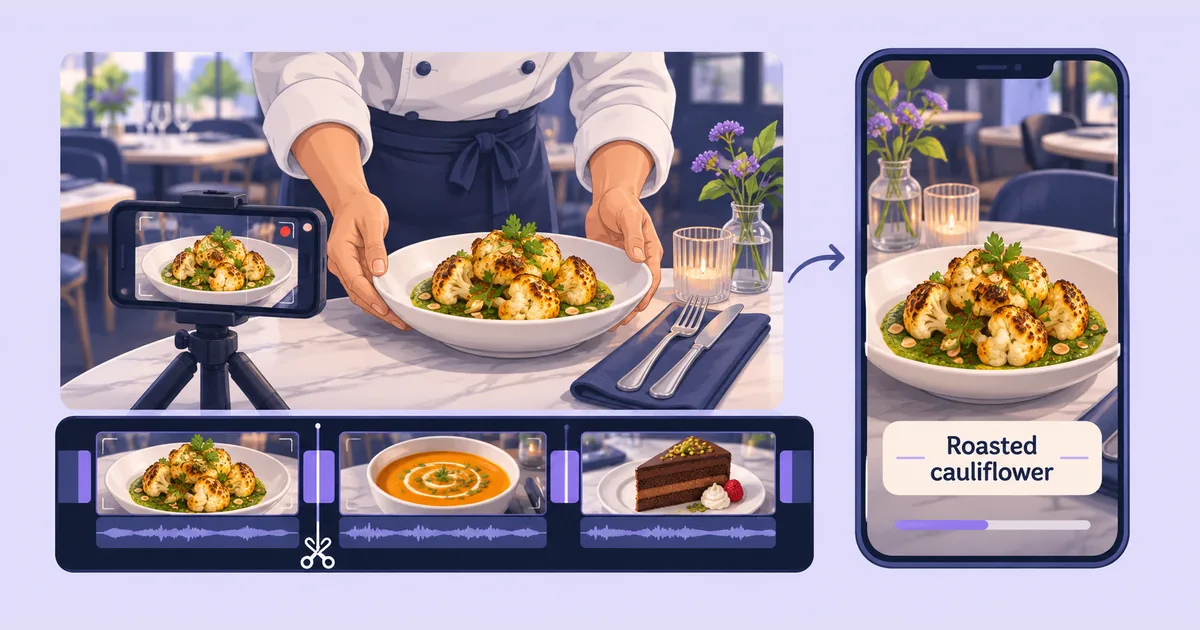
To make a restaurant menu video with AI, combine footage of the dishes you serve with the current menu, then ask an editing agent to build a short, labelled selection. Lead with the dish worth coming in for, show enough detail to understand it and finish with one way to book or order.
In Tellers, you can do this by prompting. Our agent assembles the footage and text on an editable timeline; you can revise the cut in chat or adjust it manually. Here is a practical brief for a restaurant promoting three dishes from its lunch menu.
Choose the meal you want someone to order
A menu video has limited room. Pick a reason to visit: a new lunch dish, a weekend special or a set menu. That choice determines which food appears and what the closing message needs to say.
For a lunch promotion, you might feature soup, roasted cauliflower and a slice of cake. Give the cauliflower the opening if it is the main attraction. The soup and cake then show what a meal could include. Avoid making the viewer sit through a logo animation before seeing any food.
Supply the current dish names, descriptions and any offer details in a short text brief or menu PDF. Specify which items belong together. Three dishes shown in sequence should not accidentally look like a bundle if customers order them separately. Include service times and the destination for the final call to action.
Capture a few useful views of each dish
Film the serving as a customer receives it, including the usual portion, garnish and plate. For each dish, get a clean finished view and one action that reveals texture: a spoon lifting soup, a fork breaking into cauliflower or a slice being served.
Keep the camera still while the action happens. Leave a little time before and after it so the editor can choose the cut. If you want both a vertical social video and a landscape screen version, leave room around the plate; a close crop that works in one layout may cut off the food in the other.
Label the files by dish and view. The agent should not have to guess whether two similar plates are different menu items. Keep photos as an option when an action shot is soft or shaky. For a video that teaches the preparation itself, use our separate cooking-video guide.
Brief a short menu promo, then review the first cut
Try this after uploading your material:
Make a 20-second vertical lunch-menu video from these food clips
and photos. Open with the roasted cauliflower, then show the soup
and cake. Use the current menu brief for every name and detail.

Choose one clear finished view and one useful action per dish.
Keep labels away from the food. These are separately priced items,
not a set-menu offer. End with the supplied lunch hours and booking
address. Keep the main message understandable without sound.

Use our actual food imagery. Add quiet music and keep useful serving
sounds. Return an editable timeline so I can review the dish order,
labels and closing card before export.
Watch the first version on a phone. Can you recognise each dish before the next one arrives? Does the text say what the menu says? If the opening is weak, ask for the fork shot earlier. If a long dish name needs more time, hold the shot rather than shrinking the type.
Give revisions a clear target: “Keep the cauliflower section, replace the second soup shot with the overhead photo and extend the booking card by one second.” This is a useful vibe-editing workflow: describe the change you want and let our agent make the timeline edits.
Keep the promotion easy to update
Save an approved version with the menu date in its name. When a dish changes, prompt the agent to replace its footage, label and offer details together. Review the whole edit afterwards, including any spoken price or closing card that also needs updating.
For an in-restaurant display, request a separate landscape version with slower labels and a clean return to the opening. For a social post, check the upload preview so interface controls do not cover the dish name or booking instruction. Both versions should still work with the sound off.
Create your restaurant menu video in Tellers. Bring the food footage and current menu; we handle the edit.
Frequently asked questions
Can I make a restaurant menu video from photos?
Yes. Use clear photos of the dishes you actually serve, add their approved names and give each photo enough screen time to read the label. Ask Tellers for gentle movement and transitions on the timeline. You do not need to generate new food imagery to turn stills into a video.
Should a menu video include every dish and price?
A short social video works better as a selection with a clear link to the full menu. Include a price when it is central to the offer and keep the version dated so you can replace it when the menu changes. A screen inside the restaurant can use a longer, slower sequence.