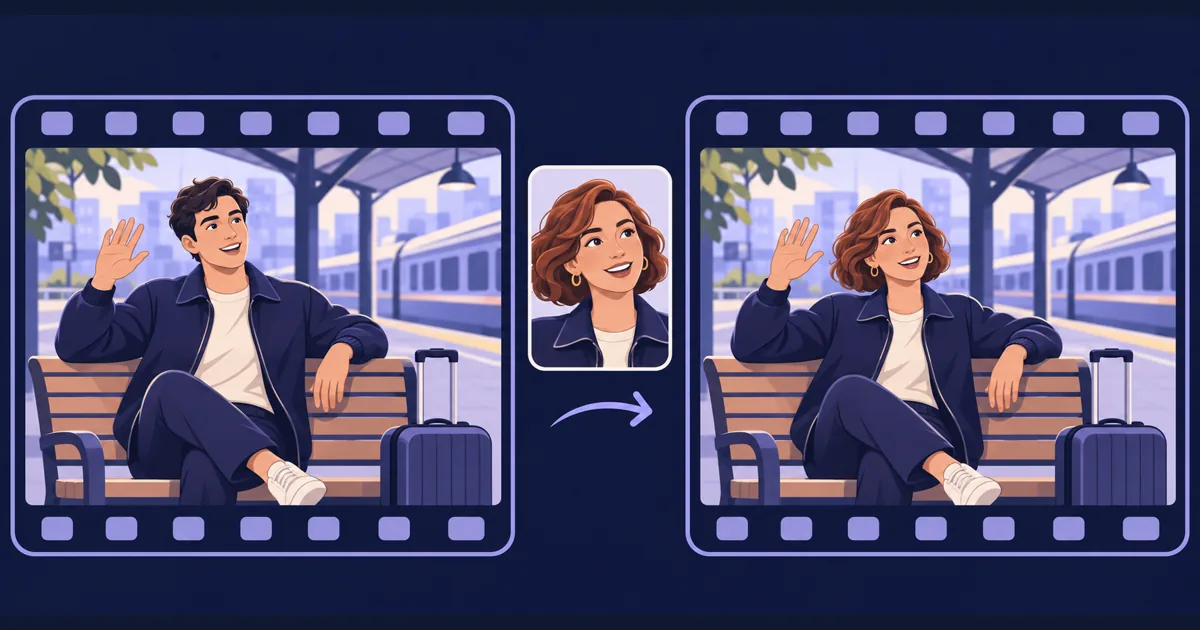
P-Video-2-Pro-Replace is available on Tellers. Pruna’s new video-to-video model lets you replace a person in an existing shot using a reference portrait. For a filmmaker exploring a fictional character, that changes the starting point: keep a performance and its staging, then explore who appears in the frame.
Pruna introduces the model as character replacement built on MiniMax H3. Its purpose is to retain the source scene, motion and audio while changing the person. That makes it a different creative tool from generating a new scene from a written description.
Start with a performance worth keeping
Consider a short-film concept in which a traveller waves from a station bench. The framing, gesture and timing already work, but you want to explore a different fictional character design. Replacement gives you a way to work from that existing performance.
Choose a source shot you are entitled to adapt and a reference identity you have permission to use. Keep synthetic casting experiments separate from real interviews or testimonials: a different face should not imply that someone actually gave the original statement.
In Tellers, upload the shot and portrait, then ask for the character-replacement tool:
Use P-Video-2-Pro-Replace on my station-bench shot.
Replace the main character with the fictional character in
my reference portrait. Preserve the source staging, camera
movement, gesture, timing and soundtrack.

Create a separate asset so I can compare it with the original.
Start with one short shot whose result you can judge easily. A face visible in one still is not enough to assess the whole clip: watch the turn away, the hand crossing the face and the return to the original angle.
Understand what stays fixed
The provider documentation describes source clips from 1 to 120 seconds and output at 24 fps. It also documents retaining the original soundtrack. This is not a voice replacement or translation step.
Higher-resolution delivery needs a distinction too: Pruna says its 1080p, 2K and 4K outputs are generated at 768p and then upscaled. A larger file does not mean the face was generated natively at that resolution.
For the creative brief, treat the original shot as the performance to preserve. If you need the traveller to stand up instead of wave, or the camera to move to a new position, that is a different shot request. Our reference-guided generation guide covers building scenes from references.
Review the replacement in the sequence
Compare the generated result with the source at normal speed. Inspect facial consistency, mouth movement, occlusions and the boundary between the person and the background.
Then ask Tellers to place the selected result into your edit by prompting: “Use this replacement in the station sequence, keep the surrounding shots unchanged, and show me the transition into and out of it.” Check character continuity against the neighbouring shots and listen across the audio cuts.
Try character replacement in Tellers when the performance works and the casting is the part you want to explore.
Frequently asked questions
Does character replacement create a new performance?
The source video supplies the performance, timing and movement. Use replacement when you want to change who appears in an existing shot; choose a new generation or recording when the action itself needs to change.
Does replacing the person also replace their voice?
Pruna documents preservation of the source soundtrack. Do not assume that a new face brings a new voice or translation; plan any audio changes separately.