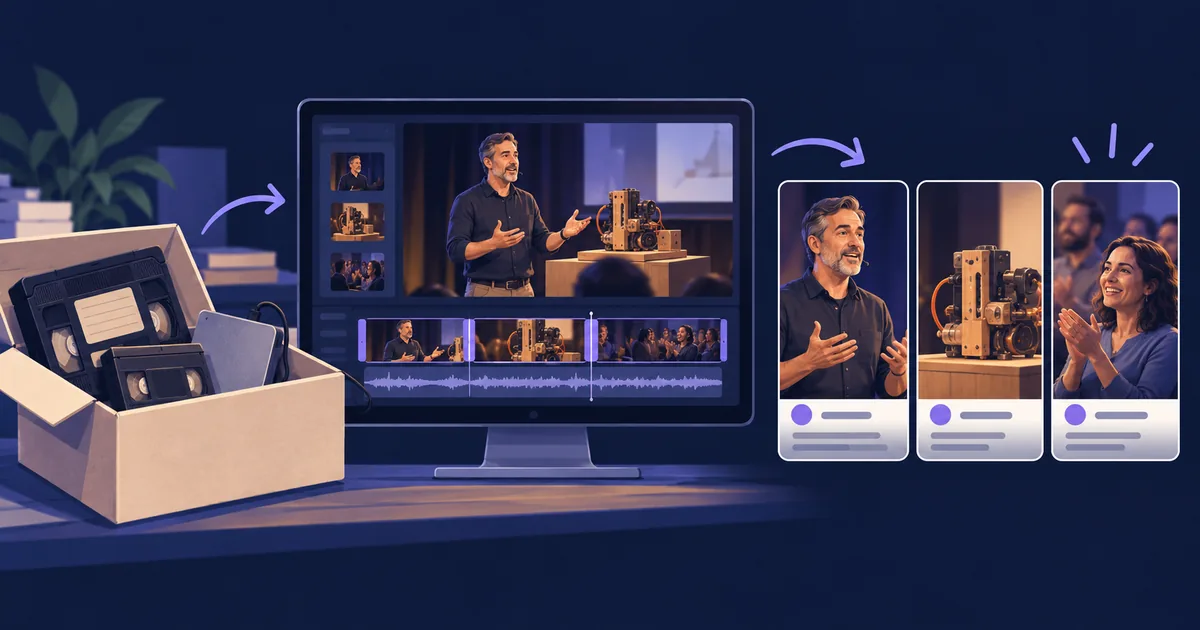
An old webinar, conference talk or tutorial may contain your clearest explanation of a subject. The useful minute is still there, but finding it means rewatching a long recording, then reframing, captioning and finishing every clip.
Tellers is AI for video editing: give it your footage and describe the final videos you expect. It can search recordings for the moments in your brief, assemble editable timelines and refine the results through conversation. That makes an archive useful as source material instead of treating every new Short as a new production.
The goal is not to cut an old video into arbitrary 30-second pieces. It is to find ideas that make sense on their own and turn each one into a complete vertical edit.
Decide what the archive is for
Start with one group of recordings and one audience. “Make clips from everything” gives the editor little basis for choosing. “Find practical product lessons for first-time users” is a useful selection rule.
Before adding the files, write down:
- Who the clips are for. A customer, a peer in your industry or someone discovering the subject for the first time.
- What belongs in the batch. For example, useful demonstrations and clear answers, but not event introductions or internal announcements.
- What may now be wrong. Old prices, dates, interfaces, team titles and calls to action need checking.
- What must remain intact. A speaker’s qualification, a safety warning or the sentence that changes the meaning of a quote.
Keep the originals and work from the best copies you have. Clear filenames such as 2024_workshop_camera.mp4 and 2024_workshop_slides.mp4 help distinguish sources. If the archive contains recordings you did not make, confirm that you have the right to edit and republish the footage, music and appearances.
You do not need to pre-trim every long file. Add the relevant recordings to a Tellers project and describe the subjects or moments you want the agent to find.
Use a batch brief with an editorial rule
This prompt asks for ten candidates, but tells the agent to return fewer when the recording does not contain ten complete ideas. Replace the brackets with your context:
Create up to 10 vertical short videos from these archive recordings,
with a separate editable timeline for each Short.

Audience: [who should find these useful]
Topic: [the specific subject to look for]
Purpose: [teach, explain, demonstrate or answer questions]

Choose self-contained moments with a clear point and ending.
Do not split one explanation across several clips just to reach 10.
Return fewer clips if the source does not contain enough strong ideas.

Keep the speaker's meaning intact. Include enough setup to understand
each quote, and do not combine sentences into a claim they did not make.
Use only the supplied recordings. Do not generate replacement speech.

Make each edit 9:16. Keep the speaker, product or demonstration visible,
and use a wider fit when a centre crop would hide important information.
Add readable captions, but verify names and technical terms against the
source. Remove old event introductions and pauses unless they add context.

Flag references to prices, dates, links, job titles or product features
that may be outdated. Do not rewrite them as current facts.

Show me the proposed moments with source files and time ranges before
polishing all 10 edits.

Must include: [moments or ideas]
Leave out: [private, repetitive or outdated material]
Visual style: [simple description or approved reference]
Asking for source files and time ranges makes the first review faster. You can reject weak choices before spending time styling every clip. It also gives you a direct way to check a quote in the original recording.
Batching works well when the clips share the same footage, format and caption style. If one Short develops a different story or a long revision history, move that edit into its own focused chat. Our guide to faster AI video editing with lower token usage explains when to batch short outputs and when to separate the work.
Review meaning before style
Watch each first cut without captions. Does the opening establish the subject? Does the final sentence actually resolve the point? A surprising line is not a useful hook if the missing sentence before it changes what the speaker meant.
Give precise editorial feedback:
Start eight seconds earlier so the question is clear. Keep the example through the speaker’s final sentence, then end. Do not use the old registration URL shown on the closing slide.
Then check the vertical frame. A face may fit 9:16 while the demonstration beside it disappears. Ask for a wider fit, picture-in-picture or a deliberate background rather than accepting a crop that removes the evidence for what is being said.
Finally, read every caption. Archive audio may contain room echo, older microphones or specialised names. Correct the text against the source instead of guessing. If a word is genuinely unclear, remove or flag it rather than turning the transcript into a confident new statement.
Finish one Short, then reuse the decisions
Approve one representative clip before applying the complete visual treatment to the batch. Set the caption style, framing, music level, title treatment and ending once. Then ask Tellers to use that approved edit as the reference for the remaining timelines.
For YouTube, the current official guidance classifies square or vertical uploads of up to three minutes as Shorts, but a clip should still be only as long as its idea requires. Check the latest YouTube Shorts upload requirements before publishing, and prepare separate versions when another platform needs different framing or safe areas.
Do a final archive check before export:
- Replace or remove expired URLs and calls to action.
- Confirm names, roles, product screens and dates.
- Check that music and footage rights cover the new publication.
- Watch the 9:16 crop from beginning to end.
- Keep each timeline separate so a correction does not change the whole batch.
The same principle works for one old tutorial or years of recorded talks: tell the editor what matters, review the proposed moments, approve one format and reuse it. The Tellers Basics production walkthrough shows how one set of recordings became a tutorial series and a batch of social clips.
When you are ready, open Tellers, add the archive you own and describe the Shorts you want to recover from it.
Frequently asked questions
Can AI turn old videos into Shorts automatically?
Yes. Tellers can search longer recordings, select relevant moments, assemble vertical edits and add captions from a written brief. Treat the result as a first cut: review the meaning, crop, names and any outdated information before publishing.
How do I turn a horizontal video into a vertical Short?
Ask for a 9:16 version and specify what must stay visible. Review every crop, especially when a slide, product or second person shares the frame. Some shots work better with a designed background or a wider fit than with an aggressive centre crop.
How many Shorts can I make from one long video?
Use the number of complete ideas, not the video's duration. A recording may contain ten strong clips or only one. Each Short should have enough setup to understand the point and a clear ending, without relying on the previous clip.