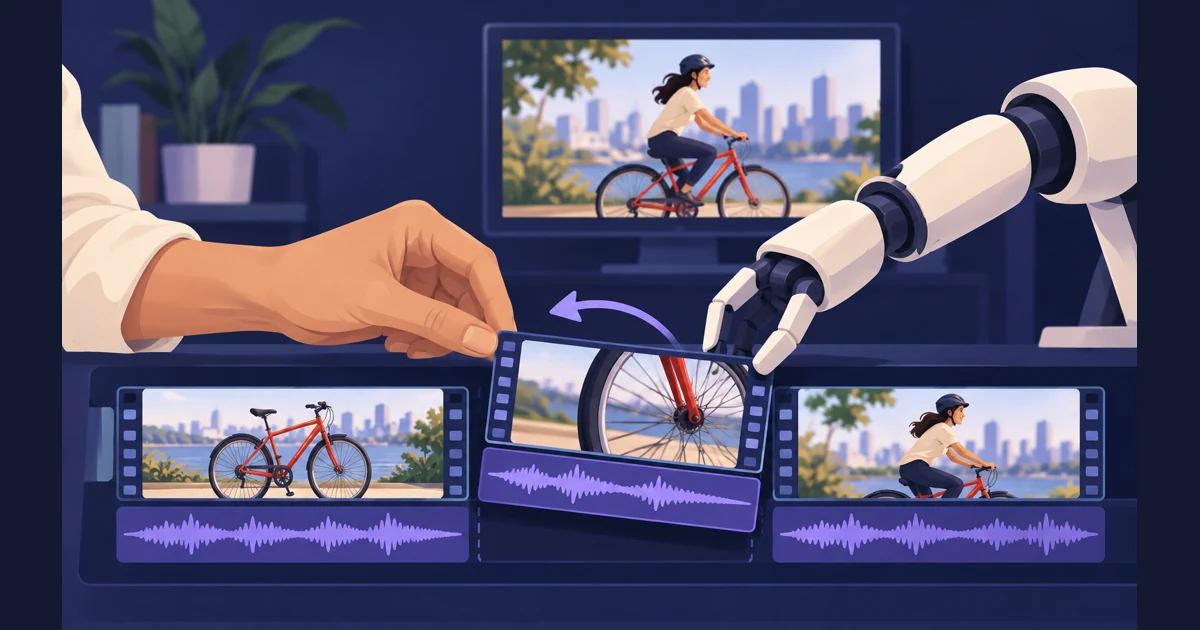
Video editing for AI agents gets more efficient when the model can make targeted edits, check them and preview the result immediately. Long timeline diffs consume tokens. Repeatedly reasoning through low-level file structure takes attention away from pacing, shot selection and the story you want to tell.
tellers-timeline gives an agent a programmatic editing layer: an open-source Rust core with Python bindings, built around OpenTimelineIO. Pair it with the Tellers player for preview and export, or use the Tellers skill to give your agent the complete local workflow.
Spend tokens on the edit, not long OTIO diffs
OpenTimelineIO describes tracks, source ranges, media references and effects. Hand-writing its nested JSON means the model must repeatedly get those details right. A small creative change can otherwise become a large patch with repeated metadata and timing fields.
With an editing API, “move the demonstration earlier” becomes an operation addressed to a clip ID. The library updates the timeline and serializes the file locally. The agent can read a compact summary and the changed clips instead of printing the complete document into every tool response.
This can reduce generated tokens, context growth and repair turns. It leaves more of the model’s reasoning budget for the video itself. The saving depends on the workflow: dumping the whole timeline after every call defeats much of the benefit. Keep full project files on disk; return concise changes, durations and errors to the agent.
What the timeline engine handles
The library’s documented editing operations cover several details that otherwise become custom script logic:
| Mechanism | Why an editing agent needs it |
|---|---|
| Clip and track IDs | Address the demonstration by identity after its position changes. |
| Push or override overlap policies | Choose whether an insertion shifts existing material or replaces overlapping material. |
| Linked audio/video edits | Keep established sync relationships together during revisions. |
| Source ranges and media bounds | Distinguish where a clip appears in the edit from where its content starts in the recording. |
| Markers and metadata | Leave precise review notes and preserve project information. |
| Sanitization | Repair duplicate IDs, clean gaps and dangling links, and clamp clips to declared media ranges. |
Linked editing preserves an alignment you have established; discovering sync offsets and choosing compelling shots require analysis upstream. The engine handles the bookkeeping so the agent can concentrate on those decisions.
A small, executable Python edit
This example was checked against tellers-timeline 0.1.4, the PyPI release available on 30 October 2026. It creates two five-second clips, then moves the demo to the front without leaving a gap.
pip install tellers-timeline==0.1.4from pathlib import Path
from tellers_timeline import Clip, MediaReference, Stack, Timeline, Track
stack = Stack([Track(kind="video", id="video")])
for clip_id, start in [("opening", 0.0), ("demo", 5.0)]:
clip = Clip(
5.0,
{"DEFAULT_MEDIA": MediaReference(f"file:///media/{clip_id}.mp4")},
id=clip_id,
)
stack.insert_item_at_time_by_id(
"video", start, clip, "push", "split_and_insert"
)
moved = stack.move_item_at_time(
"demo", "video", 0.0, False, "push", "split_and_insert"
)
if not moved:
raise RuntimeError("Could not move the demo clip")
timeline = Timeline(stack)
timeline.sanitize()
if timeline.validate():
raise ValueError("Timeline validation failed")
Path("edit.otio").write_text(timeline.to_json(), encoding="utf-8")The result is demo → opening, still ten seconds long. These are illustrative media paths: the library writes references without loading or rendering the videos. For browser preview, let the skill serve your actual files through local HTTP URLs.
Catch mistakes before another reasoning loop
Static checks give the assistant concrete feedback instead of asking it to guess why a preview failed. Combine the library’s sanitization and limited validation with the skill’s timeline checker, which checks structure, media paths and effects the player would skip.
Add basic assertions for the brief: total duration, expected clip order, valid source ranges and linked audio placement. For the example above, check that demo comes first and the total remains ten seconds. A failed assertion identifies a specific repair before an expensive export or another round of visual debugging. These checks improve the reliability of the editing loop; watching and listening still matter.
The same editing core, with a real-time player
The tellers-timeline Rust core also powers insertion logic and policies inside the Tellers app and the free local Tellers player/editor used by the skill. Programmatic edits and manual edits therefore share the underlying rules for placing clips and handling overlaps.
The player is the other half of that integration: it interprets the timeline and renders the edit with Tellers effects in real time, including animated transforms, text, masks, colour treatments and audio. You can review changes without encoding an intermediate MP4 after each instruction. Final export remains a separate step; playback performance depends on the media, effects and hardware.
Through Tellers MCP, the live preview can appear inside compatible Claude and Codex interfaces, alongside the conversation. The free local skill opens the player/editor in your browser. Both let you inspect the actual edit while the agent works.
Use the skill’s current format instructions and checker so effect names and parameters match the player. Shared editing logic does not make every third-party OTIO effect render automatically.
Add the skill, player, MCP or app
| Component | Use it for |
|---|---|
| tellers-timeline | Programmatic timeline manipulation in your own agent tooling. It does not encode video. |
| Free Tellers skill and player | Local video editing with Claude or Codex: preview, a manually editable timeline, effects and MP4 export. |
| Tellers MCP | Connect a compatible agent to cloud projects, footage search and generation tools, with preview and export. |
| Tellers app | Give your footage and finished-video brief directly to Tellers, then refine the edit through chat or the timeline. |
Start with the skill repository:
Edit videos with https://github.com/tellers-ai/skills

Create a rough cut from the footage in this folder.
Keep the timeline editable and show me the preview before export.
Use targeted timeline operations and run checks after changes.
Report a short edit summary rather than the whole OTIO file.
Read my latest timeline edits and markers before making revisions.
You can trim, move clips, adjust effects and leave markers yourself in the full manually editable timeline, while the agent continues from the saved edit. The local player is free, with no Tellers account required; your assistant’s own charges still apply. Our local video editing guide covers the setup and demo.
For cloud work, the MCP connection uses OAuth and requires a Tellers account. It adds footage search and generation tools. Or bring your footage directly to the Tellers app and describe the finished video.
Pin the library version for reproducible automation: current repository APIs can be ahead of the published package. Keep the timeline and source media alongside the brief so the next revision, or the next agent session, starts from the actual edit.