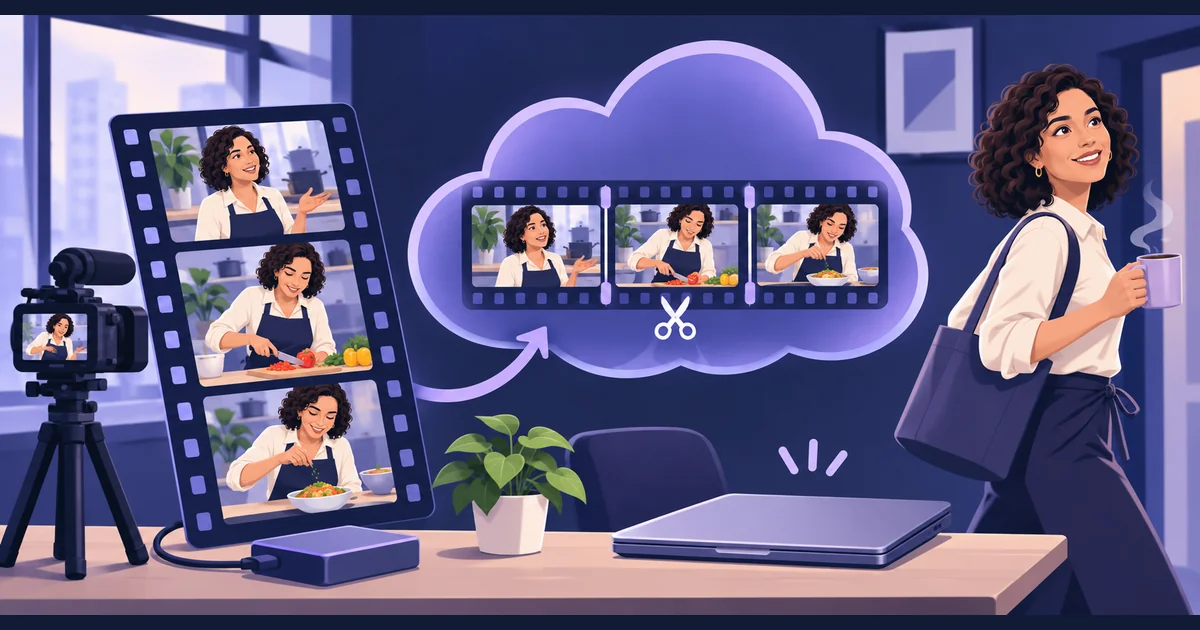
If your video is too large to upload to Claude or ChatGPT, upload the original directly to Tellers and ask for the edit there. We have no per-video file-size limit, and processing runs in the cloud. Once the upload is complete and the job is running, you can close your computer and come back later.
That means you can work from the full interview, podcast recording or afternoon of cooking footage. You do not need to spend your first editing session squeezing the source into a chat attachment.
Why the chat rejects your video
A “file too large” message concerns the upload route you are using. The limits differ between products and even between features within the same product:
- Claude: Anthropic’s upload guide lists 500 MB per file for chat uploads and 30 MB for project files. Those are general file limits; its supported document and image list does not establish support for every video format.
- ChatGPT: OpenAI’s video-attachment guidance says video attachments count toward your plan’s file-upload limits. Availability depends on the platform, upload method and account.
A file-size error is also different from an “upload limit reached” message about account usage. Making one file smaller does not necessarily resolve the latter.
For editing, the useful question is where the original footage should live. Storing it in Tellers lets the editing tools work on the source without putting the entire file into a chat attachment.
Upload once, then describe the finished video
Open the Tellers app, upload your recording and give the agent a concrete brief: the audience, target length and moments to keep. Tellers is an AI video editor with an editable timeline, so you can ask for cuts, captions and revisions in plain language.
For example, turn a long interview into a short introduction:
Edit my uploaded interview into a three-minute introduction
for people discovering this person for the first time.

Open with their strongest explanation of what they do.
Keep one concrete example and end with their main takeaway.
Remove false starts, repeated points and long empty pauses.
Keep complete sentences and the speaker's original meaning.
Add readable captions and keep the original recorded voice.

Build an editable timeline and export a landscape video.
Start this edit in Tellers. Upload your footage before asking the agent to begin.
The same approach works for other large recordings. Ask for three self-contained podcast highlights, a recipe tutorial that skips the waiting, or a property tour organised room by room. Give each deliverable its own purpose instead of simply asking to “make the file smaller.”
For a more detailed story brief, see our guide to creating an interview rough cut with AI.
Turn uploads into a searchable video library
Tellers can hold the rest of your footage as well as the file that was too large for chat. When you upload a video, Tellers analyses it and saves a transcript of the speech, visual descriptions of each scene and an AI search index with the original. That work stays with the video, so the next project can find and reuse the footage without another upload.
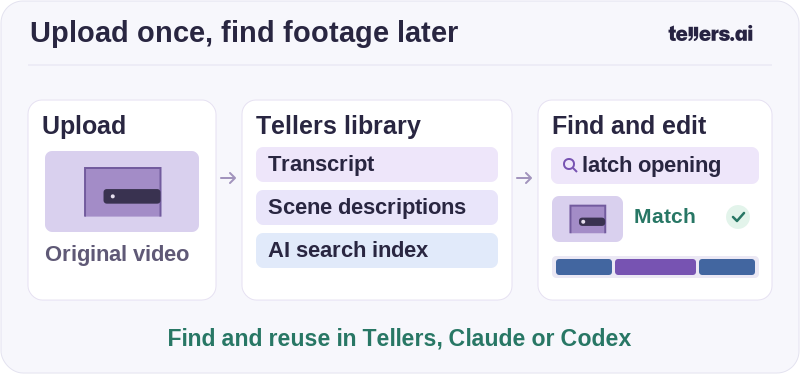
Search for something a speaker said or describe what was on screen, even when you don’t remember the filename. Open the footage and edit it in Tellers, or connect Tellers MCP to Claude or Codex and use your library from there. The assistant calls Tellers to find the material and work on the timeline; you don’t attach the source video to the conversation.
For example, after uploading your interviews and product footage, try:
Use Tellers to search my library for the interview passage where
the founder explains why we redesigned the latch. Find a close-up
of the latch opening in my uploaded product footage.

Use that answer and close-up to build a 30-second editable clip.
Keep the original voice. If there are multiple plausible matches,
show me the clips before picking one.
The same source can become a short clip today and part of a longer edit next month. Our MCP setup guide shows how to connect either assistant.
Let the cloud do the processing
Tellers handles the video processing and export in the cloud, so your laptop does not have to stay open to render the edit. Finish uploading and start the job first. Closing the computer during a local-file upload can interrupt the transfer.
When you return, play the result and ask for the changes you want: “Keep the longer explanation in the second clip” or “Make the captions smaller.” You can refine the same editable project without compressing and re-uploading the original for each revision.
Upload your full video to Tellers and start with the video you actually want to make.
Frequently asked questions
How can I edit a video larger than 512 MB with AI?
Upload the original video directly to Tellers instead of attaching it to the chat. Describe the edit in the Tellers app, or connect Claude or Codex through Tellers MCP and work with the footage stored there. You do not need to compress the video to fit a chat attachment limit.
Does Tellers have a video file-size limit?
Tellers does not impose a per-video file-size limit. You can upload the original recording without splitting it into smaller attachments. Account storage and AI usage are governed by your plan.
Can I close my laptop while Tellers edits or exports my video?
Yes. Once the upload has finished and the processing job has started, Tellers processes the video in the cloud. You can close the browser or turn off your computer and return to the result later. Keep your computer connected until the upload itself is complete.
Can Claude or Codex search videos I’ve already uploaded to Tellers?
Yes. Connect Tellers MCP to search and reuse footage from your Tellers library. Tellers saves the transcript, AI search index and scene descriptions from upload, so you can refer to the same footage in later edits without attaching it again.